A documentation audit that runs every night
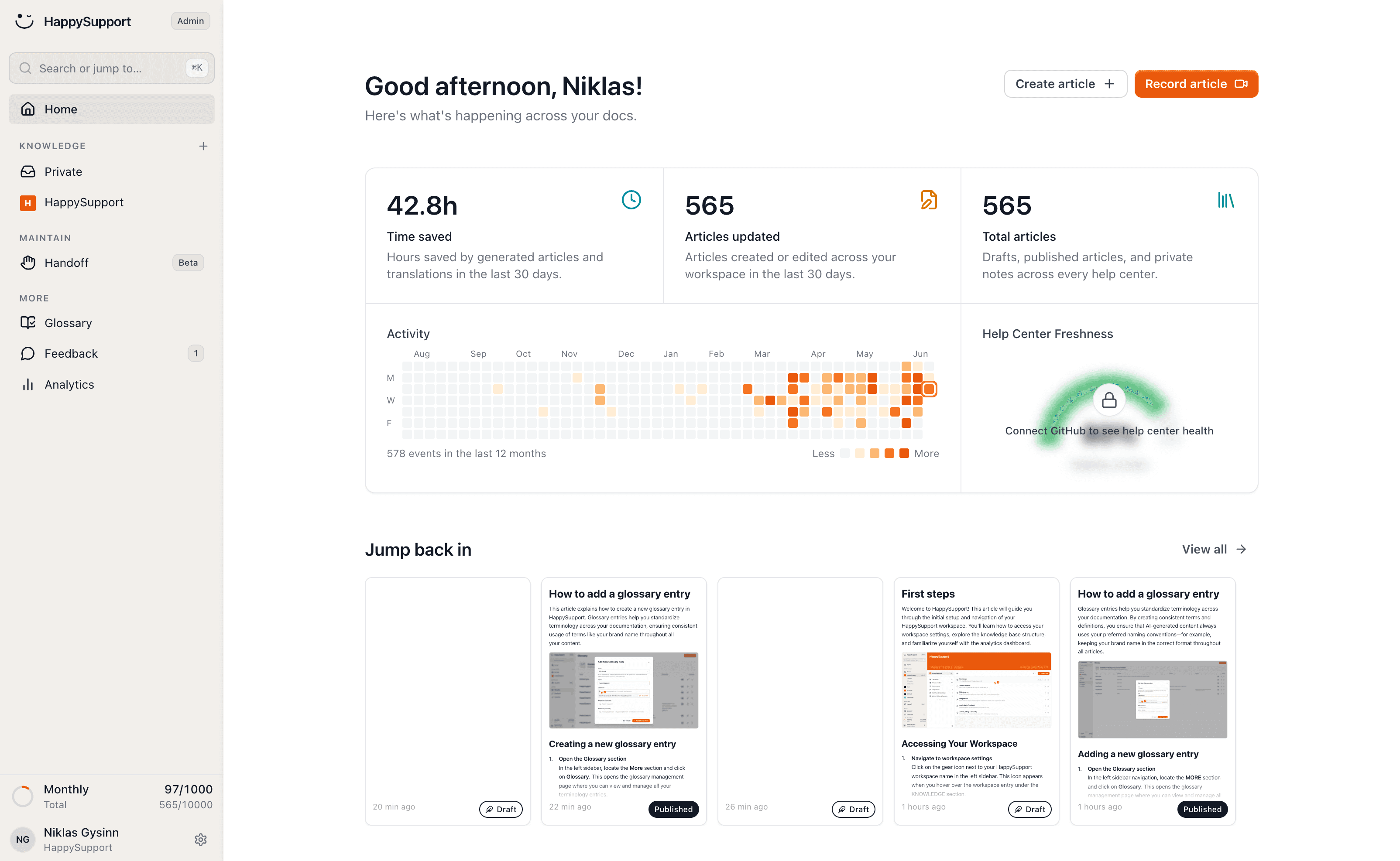
HappySupport runs a documentation audit on your whole help center every night: 46 checks across links, structure, SEO, images and freshness. You get one score, and every finding links to the place where you fix it.
These teams document with HappySupport



Help centers do not break loudly. A linked page disappears, a screenshot ages, a feature changes and its article does not. Each defect is invisible until a reader hits it, and readers rarely tell you.
Documentation audit for stale content
The HappySupport documentation audit checks your whole help center every night for stale and outdated articles, broken links, broken images and missing SEO basics, with 46 checks in six categories. Each run returns a content health score from 0 to 100, and every finding links to the place where you fix it.
The documentation audit is included in HappySupport from Professional at 399 euros per month, flat rather than per seat. It replaces the quarterly spreadsheet review of a help center.
46 checks across the whole help center
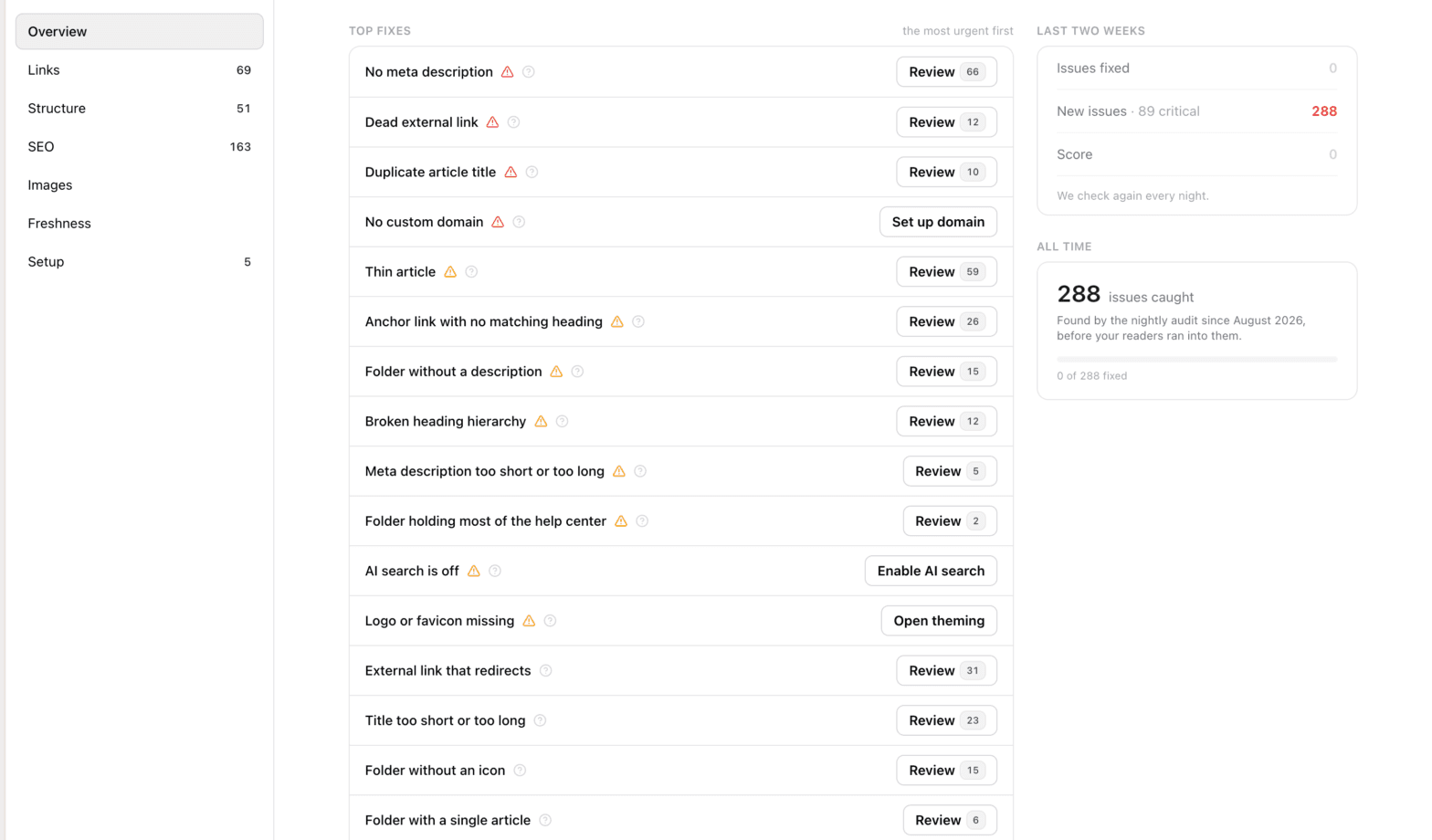
The audit reads everything: every article, folder, redirect, image and setting. External links are actually requested, not guessed at. Screenshots are checked against their age, articles against their traffic and feedback, meta descriptions against what search engines display.
Findings are sorted by severity and by how many readers actually hit the page, so the list starts with what matters. And a clean report tells you what it looked at: articles, links and images, all counted.
What the audit looks at
Every check has a written rationale, a severity and a target. Nothing here is a matter of opinion.
Links
Dead external links, links to unpublished articles, broken anchors, redirect loops. Every URL is really requested.
Structure
Empty folders, folders nested too deep, articles that are really three articles, broken heading hierarchies.
SEO
Missing or duplicate meta descriptions, duplicate titles, thin articles, titles search engines cut off.
Images
Broken images, screenshots older than a year, oversized files that slow the page down, how-tos with no visuals.
Freshness
Popular articles gone stale, drafts nobody published, articles readers vote down, pages nobody reads.
Setup
Custom domain, branding, AI search: the basics that make the help center findable and yours.
A score that tells the truth
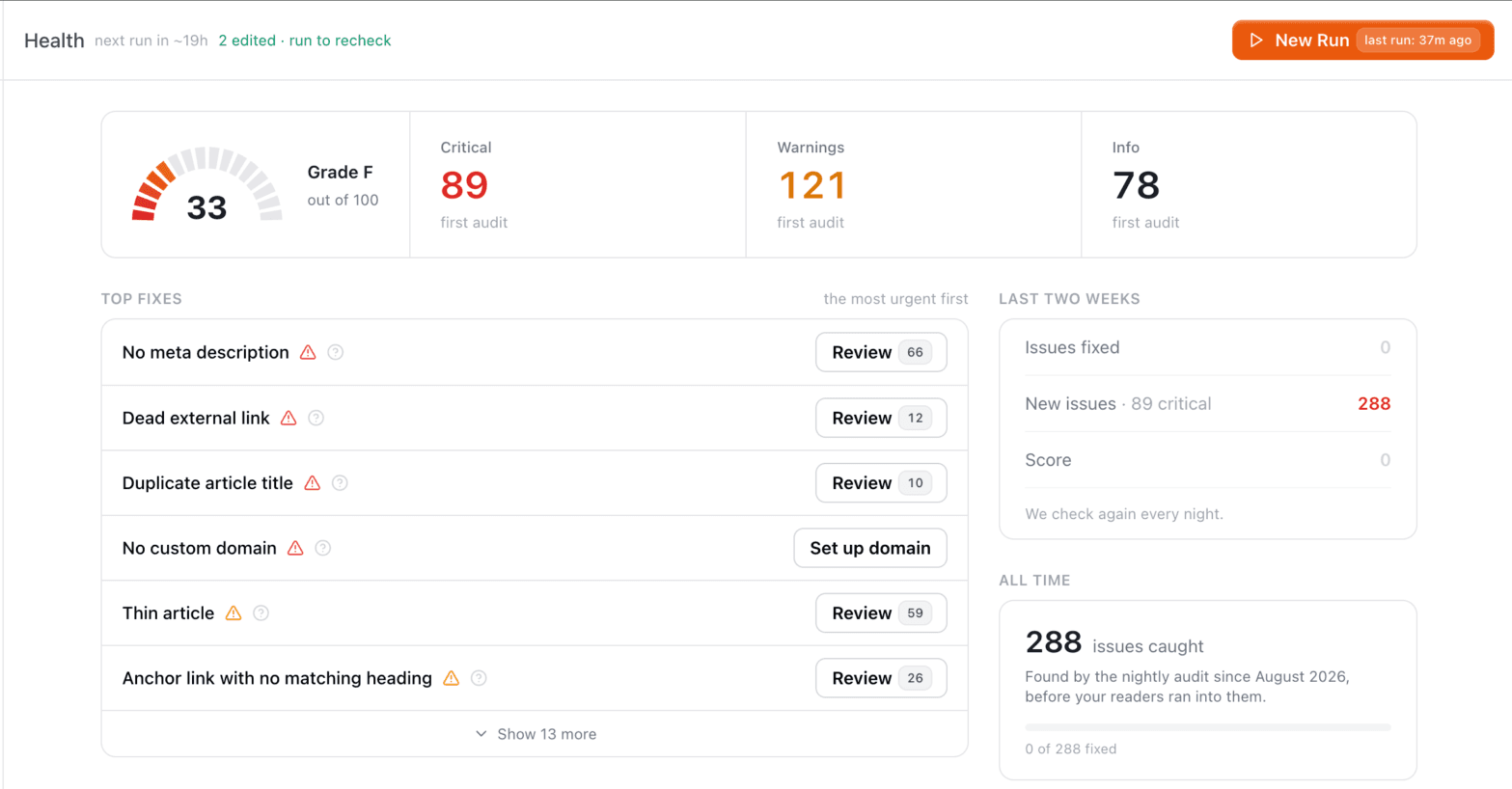
Each run produces a score from 0 to 100 with a grade, per area and overall. A category with nothing to measure says so instead of scoring a perfect 100, and no help center gets an A while a critical finding is open.
Findings keep their identity between runs. The audit remembers when each one first appeared, resolves it on its own once it is fixed, and reopens it if it comes back. Snooze what can wait, ignore what you disagree with; both survive every future run.
Fix what the audit finds in one click
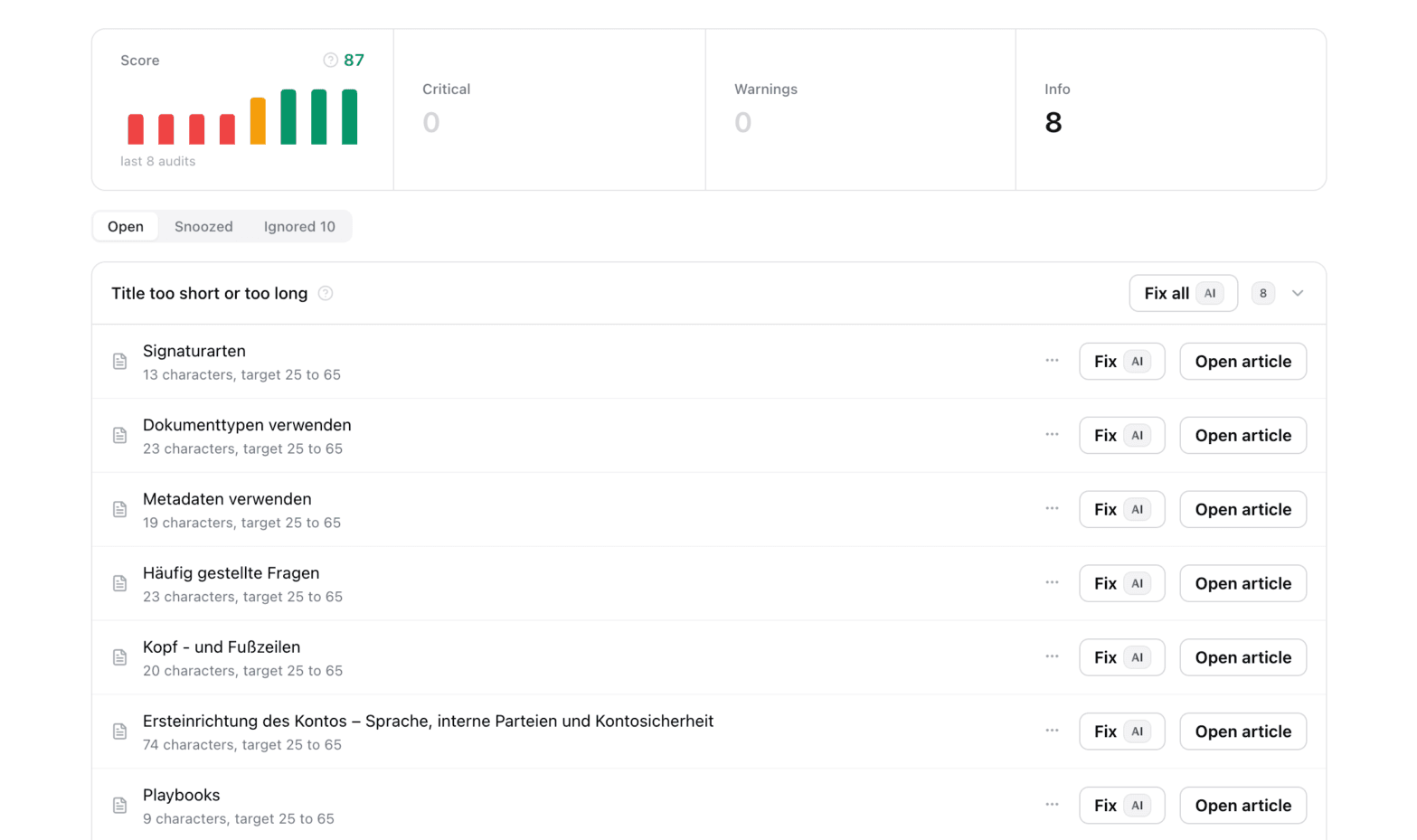
The audit surfaces what slips through day to day. Among its findings are dead links and broken anchors, missing or duplicate meta descriptions, duplicate titles, broken heading hierarchies, folders without descriptions or translations, oversized images, screenshots older than a year, articles nobody reads and articles readers vote down.
Much of it you fix directly with AI: it drafts meta descriptions, folder descriptions, clearer titles and translations, repairs headings and compresses images. You review the suggestions and accept them with one click, one by one or all at once.
Your first audit is one address away
Enter the address your customers use today. We import your articles, images and structure as they are, and the first health audit runs right after: every link, image and article checked.
Import from
 Zendesk
 Intercom
 HubSpot
 Notion
 GitBook
 Document360
 Help Scout
 Freshdesk
 Confluence
 ReadMe
 Mintlify
 Helpjuice
Redirects come along, then get checked
The import creates a redirect for every old address. From then on the audit watches them: targets that disappear, loops and chains become findings.
Every link really requested
The first run fetches your external links one by one. Dead ones show up as findings, with the article and the exact link.
Images checked from night one
Broken images, screenshots older than a year and files that slow the page down are flagged, each with its fix.
Finding problems is half the work
The audit tells you what is wrong today. These keep it from going wrong again.
The same audit, applied in public
We run these checks on well-known SaaS help centers and publish the reports.
The documentation audit, in detail
What it checks, how often it runs and what it costs.
Is the documentation audit free?+
The first audit of your current help center is free: enter its address and it runs right after the import. For the nightly audit you need Professional at 399 euros per month or Scale at 899 euros, flat rather than per seat, after a 14-day free trial.
What exactly does the audit check?+
46 checks in six areas: links, structure, SEO, images, freshness and setup. External links are actually requested, screenshots are checked against their age and articles against traffic and reader feedback.
How often should help center content be audited?+
Continuously, because each release can make an article wrong. HappySupport audits the whole help center every night, remembers when a finding first appeared, closes it once it is fixed and reopens it if it comes back.
How is the content health score calculated?+
Each run scores every area and the whole help center from 0 to 100 with a grade. An area with nothing to measure says so instead of scoring 100, and no help center gets an A while a critical finding is open.
Can the audit fix what it finds?+
Much of it, with your approval. AI drafts meta descriptions, folder descriptions, clearer titles and translations, repairs headings and compresses images. You review the suggestions and accept them one by one or all at once.
Your help center, ready before your coffee.
Start for free and publish your first article today.
 Book a demo