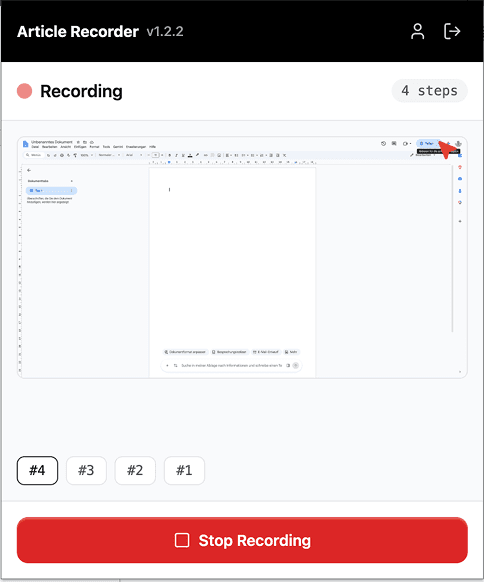
1. Record the task
You click through the task once in your app, and the HappySupport recorder captures every step with a screenshot.

HappySupport walks your users through your interface click by click with interactive product tours, and announces maintenance and releases with in-app banners. Tours are built from your help articles, so user onboarding stays correct after every update.
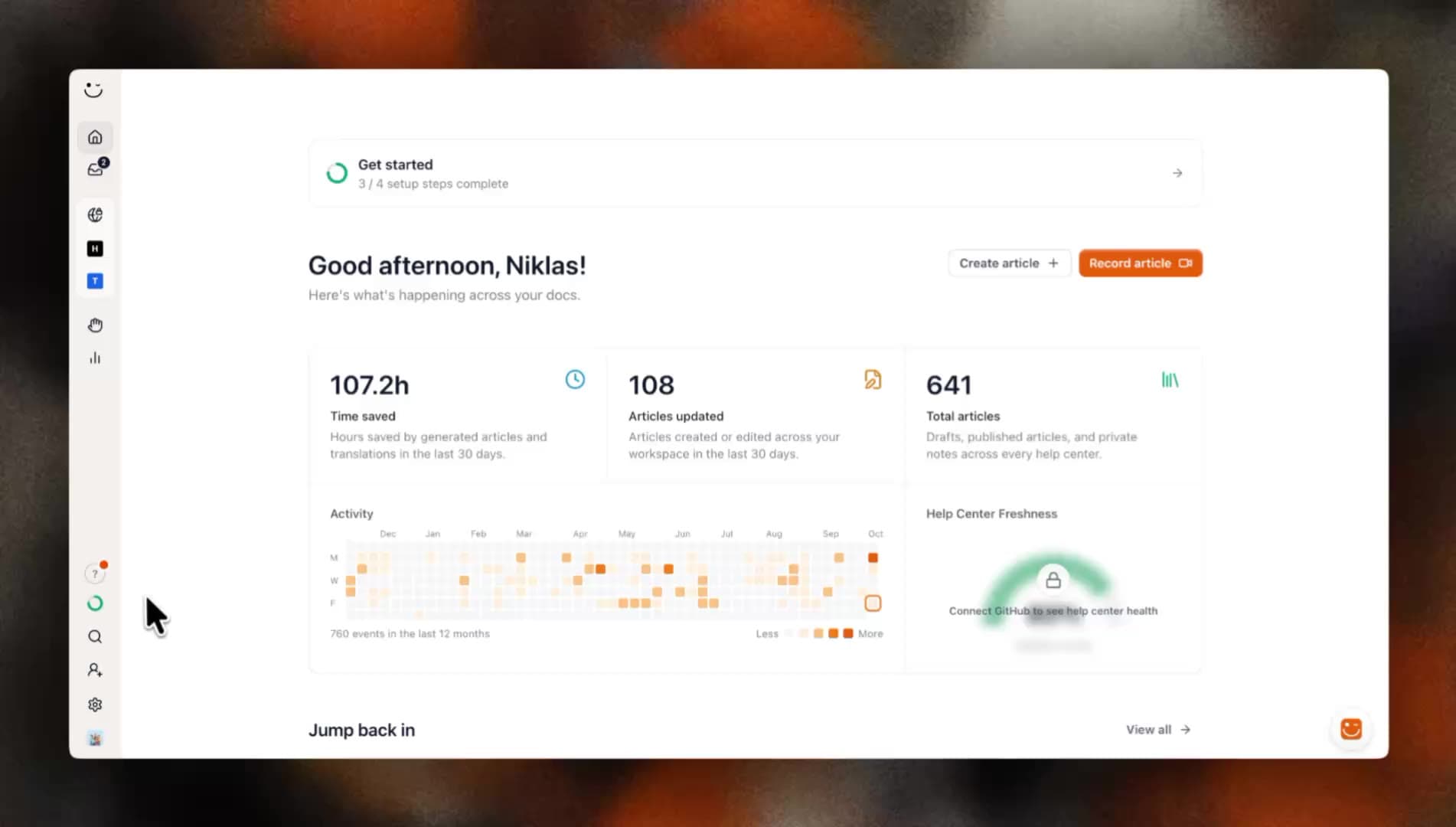
These teams document with HappySupport



The recorder doesn't just write the help article. The same recording becomes the interactive tour, with no tour editor and no second tool.
You click through the task once in your app, and the HappySupport recorder captures every step with a screenshot.
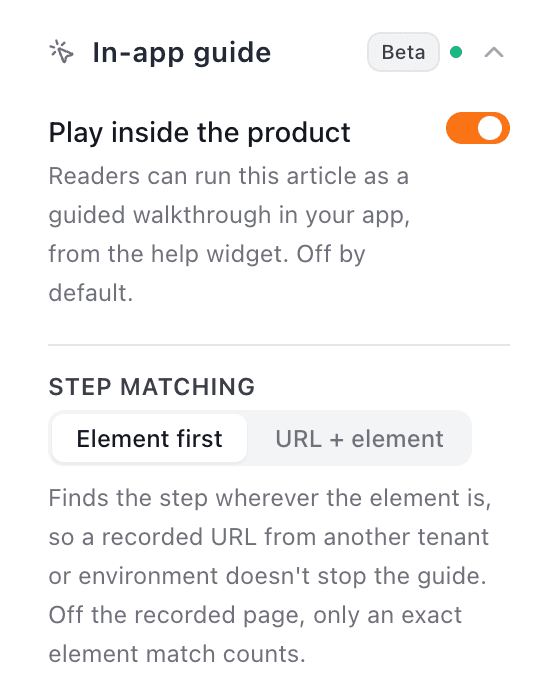
HappySupport turns it into the article. One switch in the article settings makes it a tour, and the bubbles are the article's steps.
When your interface changes, you re-record the article. The tour shows the new steps the next time it starts, in every language.
A product tour points at the next element in your real interface with a bubble and a line. The user clicks, the tour follows, and they finish the task while they learn it. User onboarding inside the product instead of a video next to it.
How a tour is made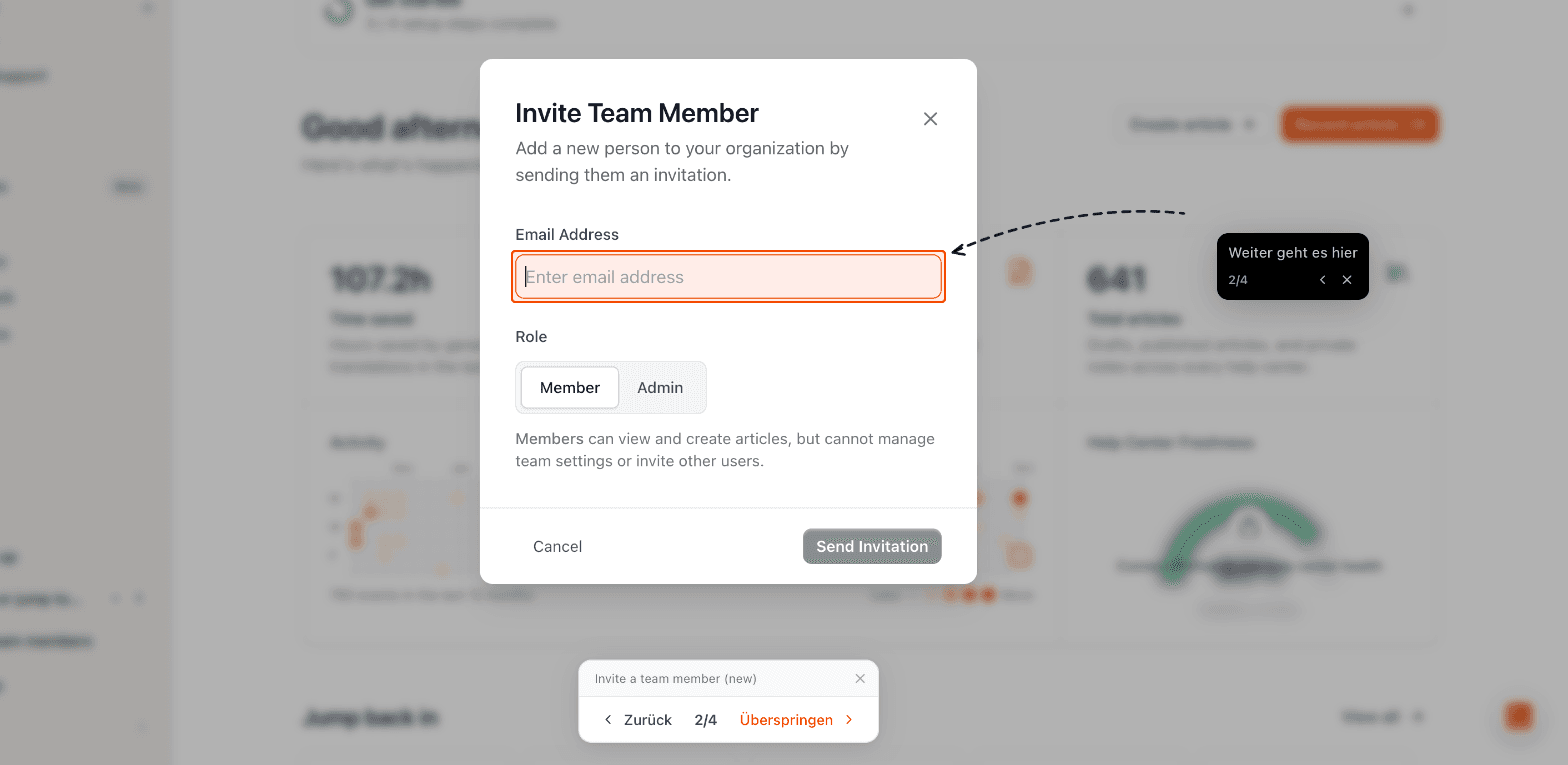
No replica and no video. The tour marks the next element, a wrong click is flagged, and the bar at the bottom shows how many steps are left.
The tour follows the user across pages, into dialogs and through single-page apps. If they reload, it picks up where they left off.
You record the task once with the recorder and switch the tour on in the article. The text in the bubbles is the article's steps, in every language.
Instead of reading an article and clicking along on the side, the user starts the tour and gets the task done. Every tour can be opened from several places.
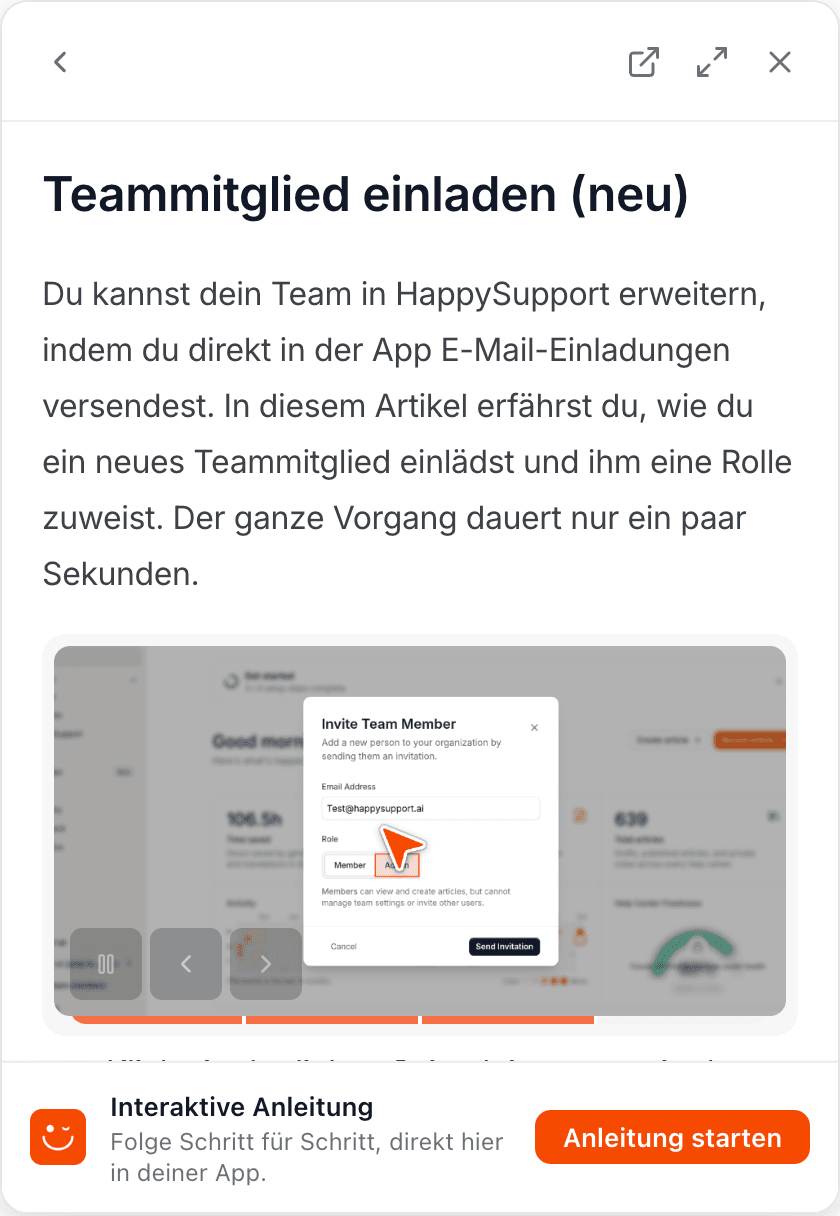
Every article with a tour gets a "Start guide" button in the widget. One click and the tour takes over.
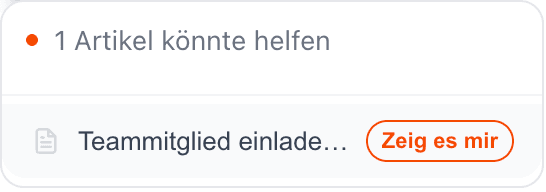
The widget recognises which article fits the current page and offers the tour with "Show me".
Add happy_guide to a URL in your app, for example in an onboarding email, a ticket reply or a chat. The link opens the page and starts the tour.
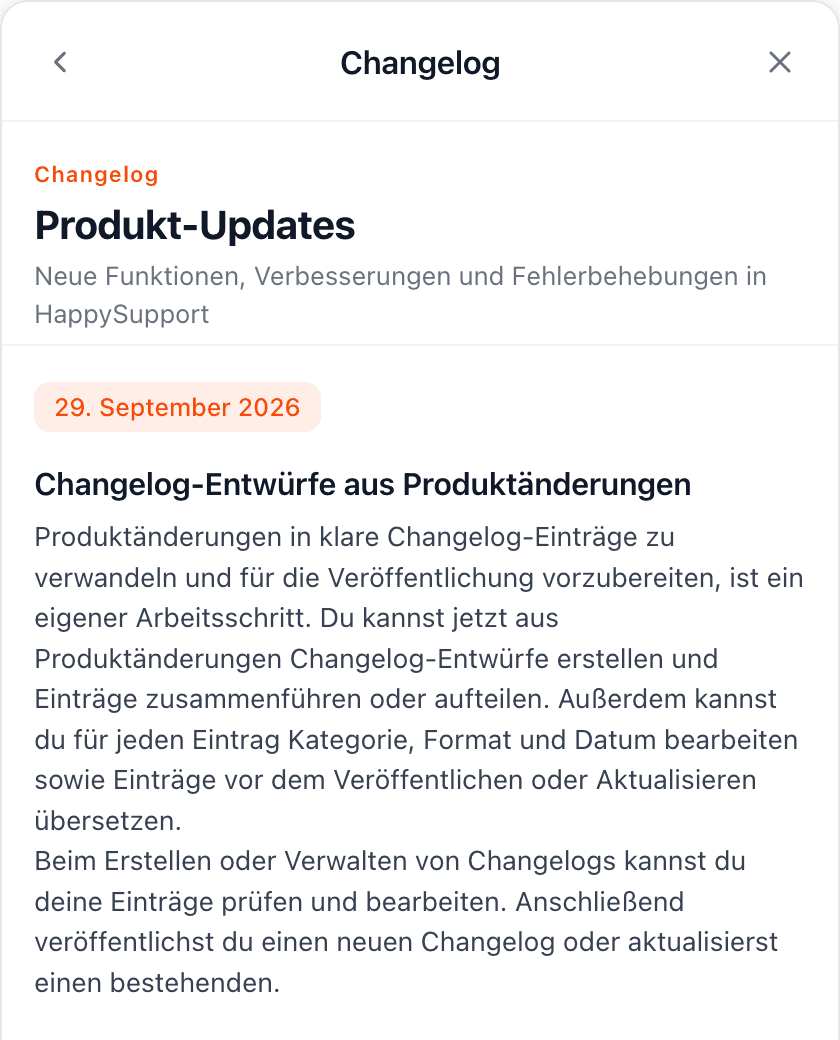
Link the matching article in a changelog entry. Users read about the new feature and start the tour to try it right away.
The same tour works for you in onboarding, at release time and in support.
New users set up your product step by step instead of searching the docs or waiting for a call.
The release note becomes one click away from first success. Users don't just see a new feature, they use it.
Instead of describing screenshots, your team sends a tour link. The question is solved once the user has clicked through.
Banners for what everyone needs to know, and rules for who sees which tour.
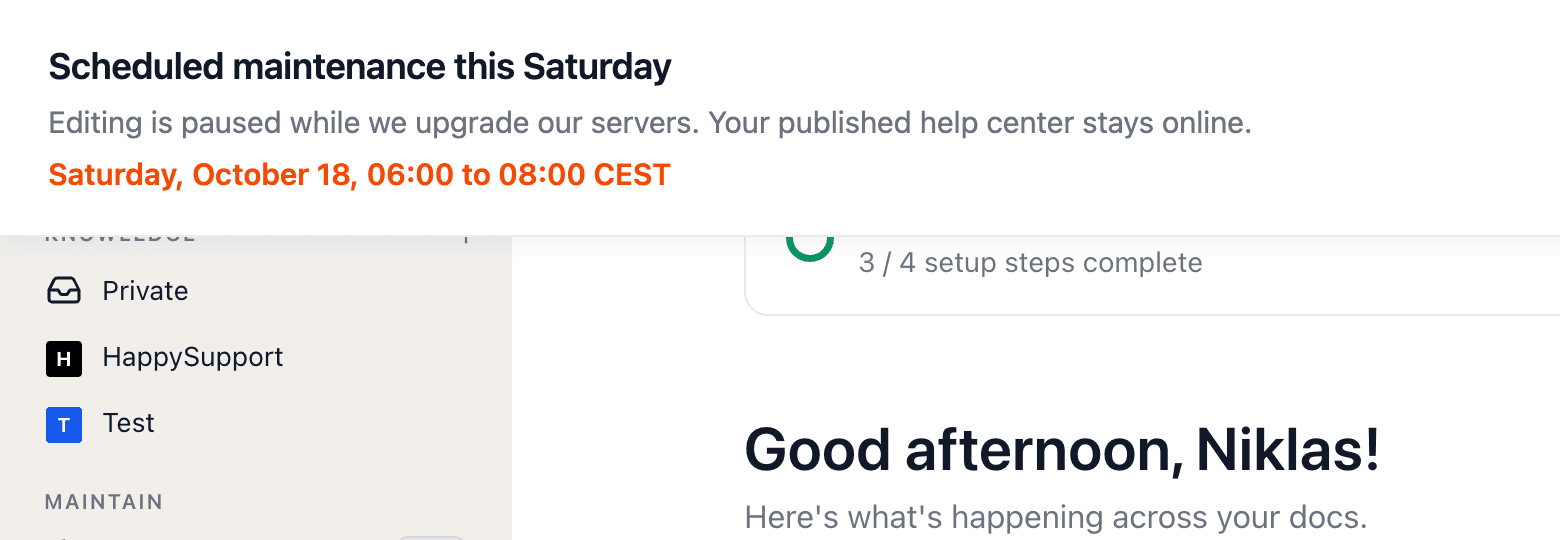
Announce maintenance, incidents and launches with a bar at the top or bottom of your app, with a highlighted note and up to two buttons. HappySupport shows and hides the banner on schedule, without a reload, translated per language and in your help center too.
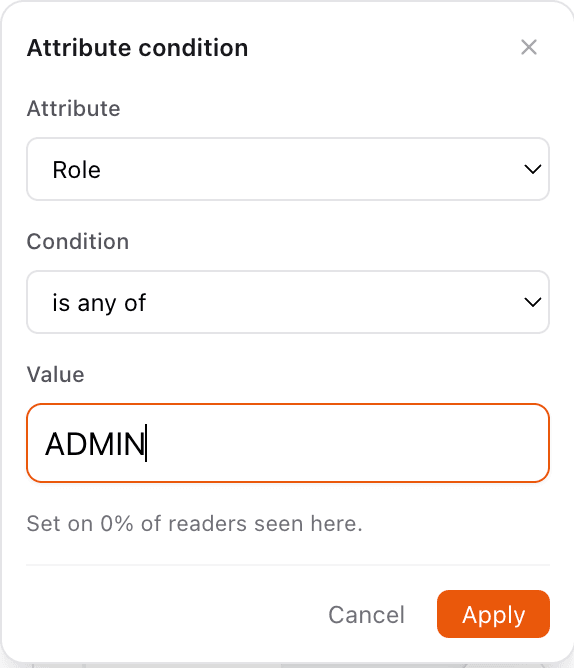
With a signed user identity you decide per article who sees it and its tour, for example by role, plan or sign-up date. The rule also applies to search and AI answers.
Once it is set up, your team manages tours and banners without developers. Technically it is one script tag, single-page apps included, which makes it user onboarding software without an engineering project.
After setup, no tour needs a code change. Anyone who can record a task can publish a tour.
The widget, bubbles and banners take on your help center's colours and logo. To users, the tour looks like part of your app.
Once an article is translated, so is its tour. Users see the steps in the language they use your app in.
If a user reloads the page or comes back shortly after, the tour continues where they left off, or starts over if they prefer.
If an element is missing after an update, the tour skips the step and tells the user, instead of leaving them with an empty bubble.
Customer data stays in Germany and is never used for AI training, which makes sign-off from privacy and IT easier.
Banners and tours are one part of the HappySupport widget. These pages cover the rest.
What product tours are, what HappySupport costs and how a tour is made.
HappySupport puts four things inside your app: interactive product tours, in-app banners for announcements and maintenance, the widget with article search and suggestions for the current page, and AI answers with sources. All of it runs from your help articles and is added with one script tag.
A video shows a task the user then has to repeat on their own. An interactive product tour runs in the real software and points at the element that comes next, so the user completes the task along the way. When the interface changes, in HappySupport you re-record the article instead of reshooting a video.
No, HappySupport has no free plan. You can try every Scale feature free for 14 days without a credit card, including product tours and in-app banners. After that, Starter costs 129 euros, Professional 399 euros and Scale 899 euros per month, billed yearly (155, 479 or 1,079 euros billed monthly), excl. VAT.
Interactive product tours, in-app banners and audience targeting are included in the Scale plan at 899 euros per month, together with app authentication and SSO. The widget with article search is included from Starter at 129 euros, AI answers in the widget from Professional at 399 euros. Prices are per month, billed yearly (1,079, 155 or 479 euros billed monthly), excl. VAT.
Record the task with the HappySupport recorder, which produces a help article with steps. In the article settings, switch on the tour in the In-app guide section and publish the article. Users then start the tour from the article in the widget or from a link with the happy_guide parameter.
Yes. Link the help article for the new feature in the changelog entry. In the HappySupport widget the article opens directly and the user starts the tour with "Start guide". Alternatively, add a link with the happy_guide parameter to the entry, which opens the page and starts the tour straight away.
Yes, as long as the article is current. A HappySupport tour reads the latest version of its article every time it starts. When you re-record or edit the article after an update, the tour shows the new steps automatically, with no second version in another tool.
Yes. When your app passes a signed user identity, you decide per article which users see it and its tour, for example by role, plan or sign-up date. In-app banners are currently shown to all widget users, and HappySupport remembers per person who closed one.
Yes. You give each in-app banner a start and end time, and HappySupport shows and hides it in your app and help center on its own, even for users who have the page open. When several banners are active, HappySupport shows the one with the highest priority.
With one script tag that you put together in the HappySupport dashboard. The widget works in single-page apps, can be opened from your own button and controlled through a JavaScript API. For signed-in users your backend signs a JWT, with examples for Node, Python, Ruby and PHP included.
For product tours and announcements, yes, but HappySupport is not a digital adoption platform. In Pendo and WalkMe you build and maintain tours separately from your documentation. In HappySupport, tours are built from your help articles, and the help center, AI chat, ticket inbox and in-app banners all run from the same source.
Start for free and publish your first article today.
 Book a demo