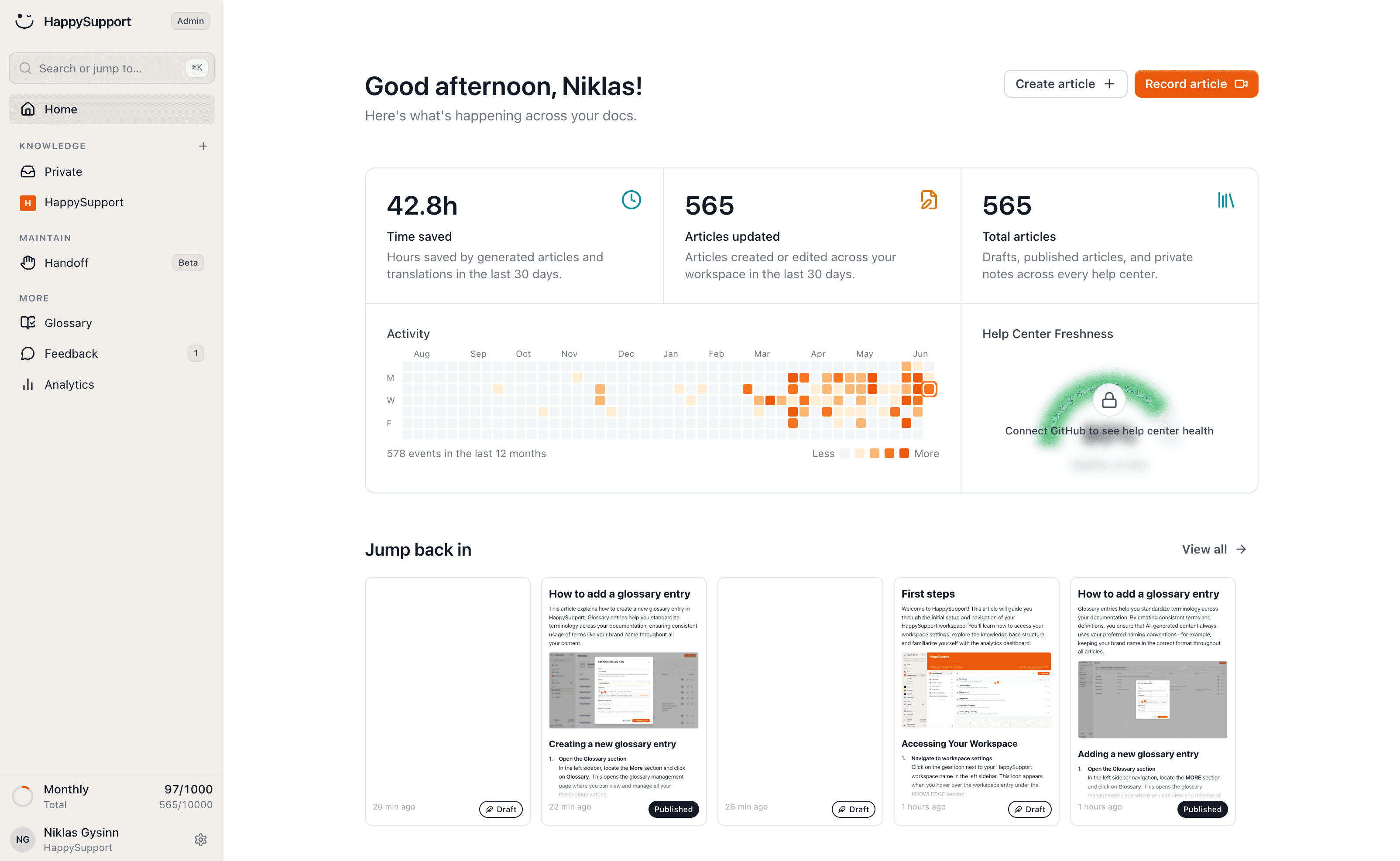
The Document360 alternative that maintains the articles

Document360 gives you a strong editor, quote-based pricing and a bill that grows per project and per add-on. HappySupport is the help center that maintains the articles itself: it writes, updates and translates them as your product changes, at a published price per plan. Enter your Document360 help center address and we'll bring everything across.
HappySupport vs Document360: the short answer
Document360 is a knowledge base with a strong editor and an AI assistant, priced on request. HappySupport creates articles from a recording, translates them without character credits and detects after every release which articles are no longer right, at published flat prices. For large docs teams that write themselves Document360 stays a good choice; for teams without a dedicated writer, HappySupport.
 Niklas GysinnFounder and CEO, HappySupport · ·
 These teams document with HappySupport



How do you write an article without an empty editor?
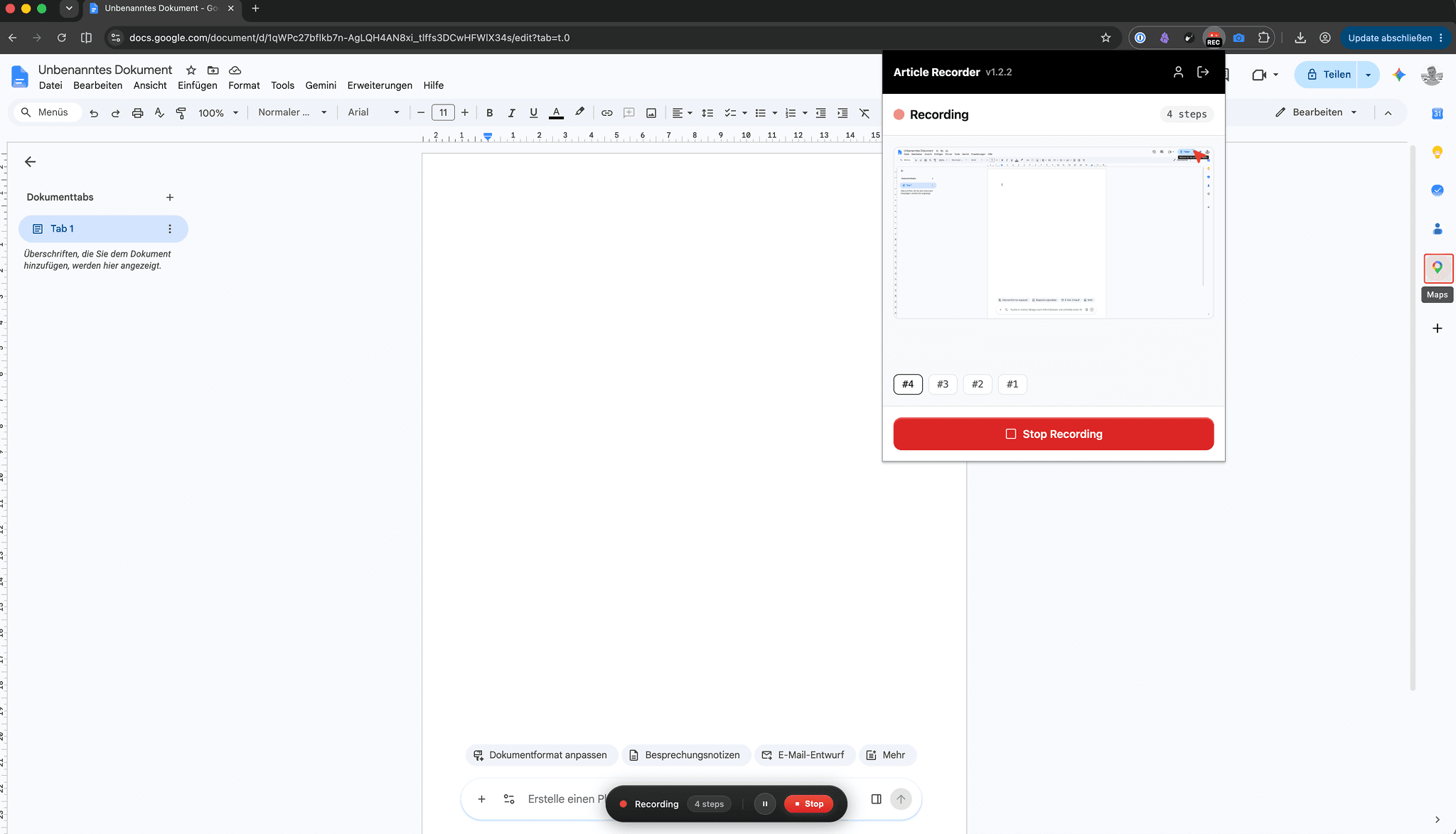
You click through the flow once and the recorder turns it into the finished article: every click becomes a step with a labelled screenshot, and what you say along the way becomes the text.
Document360's editor is genuinely good, and every article still starts the same way: you write each step, take each screenshot and assemble the guide by hand.
Half an hour of manual work per guide becomes two minutes.
How do the docs stay current when the product changes?
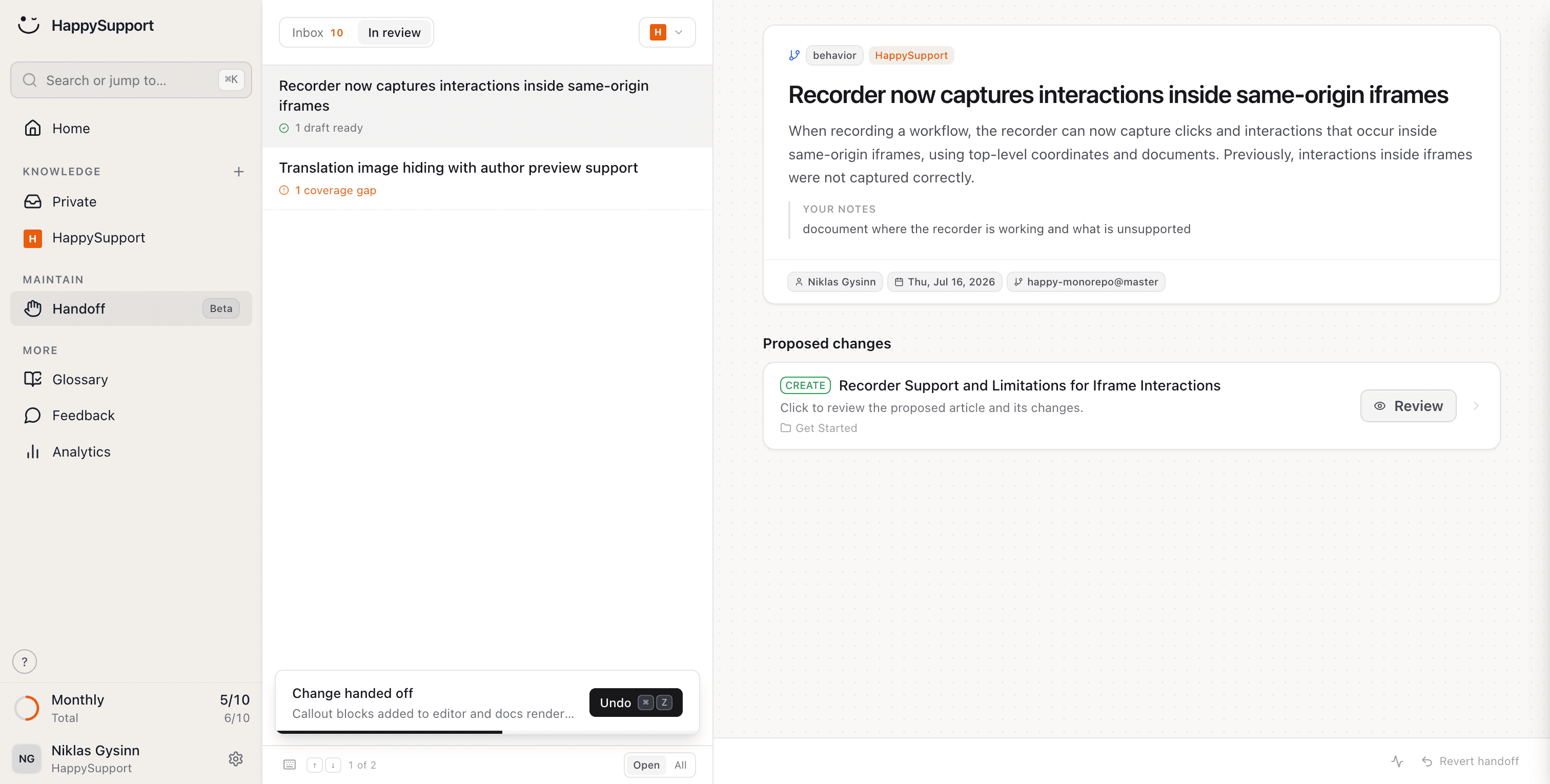
After every release HappySupport reads the changes in your repository, finds the articles they affect and hands you finished text edits to review.
Publishing is the part Document360 does well. What no editor can tell you is which of your articles stopped being true when last week's release shipped.
You review and approve. HappySupport does the rest.
What does your team stop doing after leaving Document360?
Writing articles, updating them after releases, translating and checking them: HappySupport takes on these eight jobs. Document360 gives you a strong place to write. We take on the writing, and the upkeep after it.
Create articles just by clicking
Click through the flow once and a finished article comes out, annotated screenshots included. A good editor still needs someone to fill it; this fills itself.
AI article recorderYour docs stay current when your product changes
Handoff spots what changed in the product and proposes updates for exactly the articles it affects. Version history tells you what you changed; this tells you what you still should.
Documentation from code changesCreate articles from what's in your code
Connect your repository and article drafts come out of what your engineers already wrote. Even the best editor has to be opened by somebody first.
AI documentation agentEvery article uses the same terms
Terms are agreed once and enforced across every article, across every product you publish. One vocabulary, not one per project.
Your help center checks itself
46 checks across six categories run continuously: dead links, stale articles, missing images, structure, SEO. Much of it fixes itself in one click, across every project at once.
Documentation auditYour articles translate themselves
New languages appear automatically and stay current. Change the original and the translations follow, instead of arriving as another quoted add-on.
Multilingual knowledge baseCustomers find answers without the exact words
Semantic search finds the right article even when nobody remembers the exact heading. Customers search in their words, not through your category tree.
AI chatbot for customer serviceShare a single article by link
Every article has a link you can hand over mid-conversation, even out of a help center that sits behind a login.
AI help centerWhat is the difference between Document360 and HappySupport?
Document360 gives your team a strong editor; HappySupport writes the articles itself and maintains them after every release. Only the points where the two actually differ are listed here.
| Feature | HappySupport | Document360 |
|---|---|---|
| Create articles from a screen recording | ||
| Detect affected articles after a release | ||
| Screenshots re-captured when the UI changes | Single screenshots, from Professional | |
| Published pricing | On request only | |
| Pricing model | Per plan | By team accounts, workspaces, languages and AI usage |
| AI answers grounded in your own articles | From Professional, included in the plan | Eddy AI included, premium suite extra |
| Automatic translation, kept in sync | AI translation on character credits | |
| Continuous health check with auto-fix | 46 checks, 6 categories |

Ready to switch? Enter your Document360 help center address and we'll take it from there.
As of September 2026, checked against Document360's pricing and documentation pages (sources at the end of this page). Document360 publishes no list prices; this relies on its description of pricing factors and its documentation.
What do independent numbers say about Document360?
Document360 is very well rated and has one of the better editors on the market. The numbers below show how its costs arise and what self-service delivers overall.
4.7/5
G2 rating for Document360 across roughly 500 reviews.
On request
Document360 no longer lists prices. The price depends on team accounts, workspaces, languages, SSO and AI usage.
Per character
is how Document360 bills AI translation credits, on the first translation and on every re-translation after an edit.
14%
of customer service issues are fully resolved in self-service, according to a Gartner survey of 5,728 customers.
What does Document360 say, and what is our answer?
Document360's strongest arguments are on its own pages, and some of them hold. Here is each one with its source and our answer to it.
Document360 says
“Build Intelligent Documentation with AI Knowledge Base Software.”
Our answer
Document360 has one of the better editors and, with Eddy, an AI that helps with writing. Someone still writes: the steps, the screenshots, the update after the release. HappySupport creates the article from a recording and detects from your code which articles a release affects.
Document360 says
“Conversational search grounded in your articles. Cites every source.”
Our answer
We do the same: our AI chat answers only from your articles, with sources. The difference comes before that. A cited source only helps if the article is still right, and at HappySupport the check after every release takes care of that.
Document360 says
AI Premium Suite with screen capture, step-by-step user guides, interactive demos and video recording.
Our answer
Document360 now offers capture too, as an optional add-on. HappySupport includes the recorder on every plan from Starter, and the recording becomes the article in the help center directly.
Document360 says
“Fully managed migration with crawlers, redirects, and QA.”
Our answer
A good offer, and according to Document360 it takes two to four weeks. With HappySupport you enter your help center's address and the import runs in minutes, with redirects for every old URL.
How long does moving from Document360 take?
The import itself takes minutes: you enter your help center's address and the articles, images, structure and redirects come across. A knowledge base is years of shared links, screenshots and cross-references. Moving off Document360 leaves none of it behind.
Shared links keep working
Every old Document360 address gets a redirect automatically. Bookmarks, links in old tickets and Google results still land on the right article, so your SEO moves with you.
Internal references stay intact
Cross-references between your Document360 articles are detected and relinked, across every project you bring over.
Every image comes across
Screenshots and graphics are brought over in full and hosted by us. Nothing to re-upload, and nothing left hanging off Document360 afterwards.
Your structure is preserved
Categories, subcategories and the order of your articles come across the way your readers already know them. Nobody has to relearn where anything lives.
“We hired 2.5 full-time people just to build and maintain our help center. HappySupport would have saved us over €5,000/month.”
 Fabian SilbererCo-Founder of sevDesk and investor in HappySupport
What do teams ask before leaving Document360?
The questions teams ask us before a migration.
Can I import my existing Document360 articles?+
Yes. Enter your Document360 help center address and we bring across articles, images and structure. You don't need to export anything or upload anything by hand.
What does quote-only pricing mean in practice?+
Since late 2024 Document360 shows plan names without prices and asks every buyer for a quote, so budgets are negotiated deal by deal. HappySupport publishes its plans; what you see on the pricing page is what you pay.
We run more than one product. What changes?+
In Document360 each knowledge base is its own project with its own bill, so a second product means a second contract line. HappySupport prices per plan, and the pricing page states openly what each plan includes, so you can price a second product before talking to anyone.
What happens to links our customers have already shared?+
Every old Document360 address gets a redirect automatically during the import, project by project. Bookmarks, shared links and Google results still land on the right article.
Where is our data hosted?+
In the EU, by default and at no extra cost. Not a line in a quote, but where your data sits on every plan.
How does HappySupport compare to Document360 on price?+
Directly, only by requesting a quote from them; reported Business-tier quotes land in the mid hundreds of USD per project per month, with AI features on top. Our plans are published on the pricing page, AI answers included.
About the author
 Niklas GysinnFounder and CEO, HappySupport
Niklas Gysinn founded HappySupport in Stuttgart in 2025 and runs the company from Heilbronn today. He works on the product himself and talks directly with the teams moving their help center over from Zendesk, Intercom, Confluence and other tools. These comparisons come out of those conversations and out of the vendors' public pricing and help pages.
Sources
HappySupport competes with Document360, so this page is not neutral. That is why every number and every quote carries its source. Prices and ratings change; check them with the vendor before you decide.
- Document360, pricing (accessed September 2026)
- Document360, homepage (accessed September 2026)
- Document360, comparison with Confluence (accessed September 2026)
- Document360 docs, migrating to Document360 (accessed September 2026)
- Document360 docs, localization and translation credits (accessed September 2026)
- Document360 docs, security and infrastructure (accessed September 2026)
- G2, Document360 reviews (accessed September 2026)
- Gartner, survey: only 14% of customer service issues are fully resolved in self-service (August 2024)
Your help center, ready before your coffee.
Start for free and publish your first article today.