The alternative to the Windows Steps Recorder
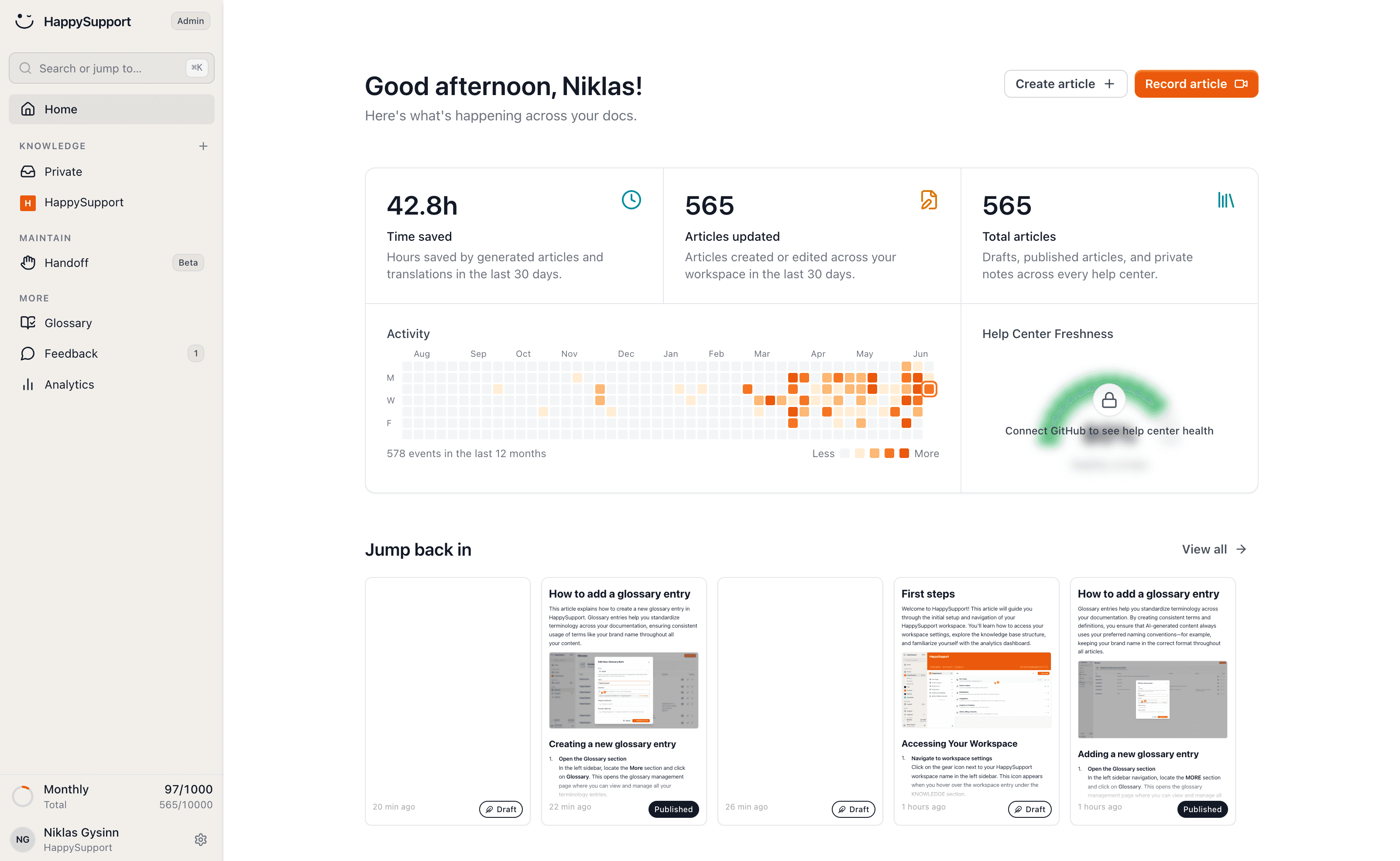
Microsoft no longer develops the Steps Recorder (PSR). Like PSR, HappySupport captures a screenshot on every click, in Windows programs and in the browser, and turns it into a finished step-by-step guide instead of a ZIP report. So there is nothing to retype after recording, and the guide is ready to share.
Steps Recorder or HappySupport: the short answer
The Windows Steps Recorder (psr.exe) takes a screenshot on every click and saves everything as a ZIP report. Microsoft stopped developing it in November 2023, plans to remove it in a future Windows release and recommends video tools instead. Like PSR, HappySupport records every click as a step with a screenshot, but it writes a guide you can edit, redact and publish in a help center. PSR is enough for a quick bug report to IT while it lasts. For guides other people will read, HappySupport is the better fit.
 Niklas GysinnFounder and CEO, HappySupport ·
 What is going on with the Windows Steps Recorder?
The Steps Recorder is still in Windows, but on its way out. Microsoft says so itself, with these dates.
November 2023
is when Microsoft listed the Steps Recorder as deprecated: it is no longer updated and will be removed in a future Windows release.
February 2024
is when a Windows 11 update added a notice about the deprecation to the app itself. Microsoft names no removal date.
3 video tools
are Microsoft's recommended replacements: Snipping Tool, Xbox Game Bar and Clipchamp. All three record video, not steps with screenshots.
Windows 7
was the first version with the Steps Recorder. Its output is still a ZIP report with screenshots and a click log.
What does HappySupport do that the Steps Recorder does not?
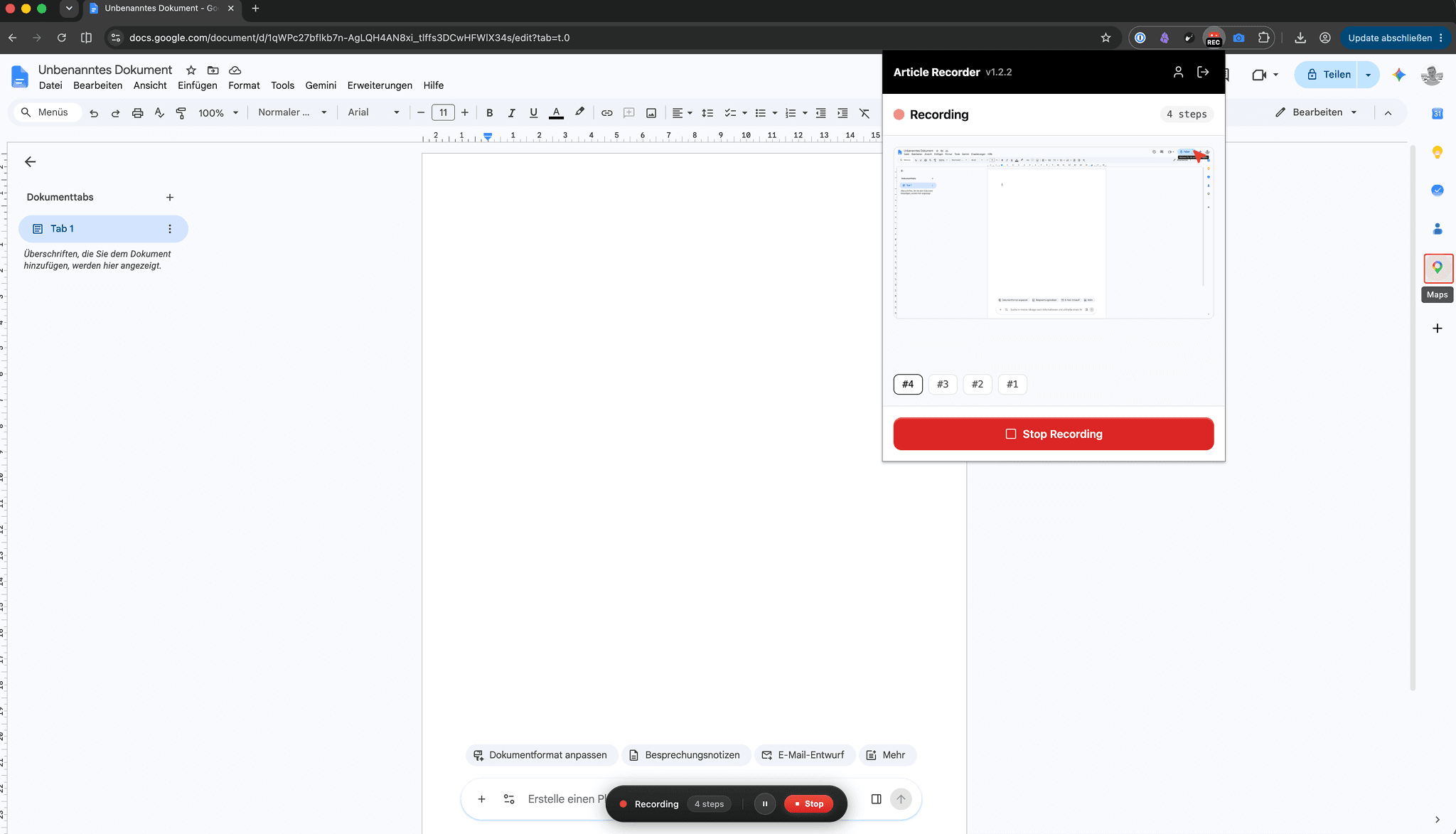
The Steps Recorder stops at the screenshots. HappySupport turns them into a readable guide: a title, an introduction and one sentence per step that says what to do.
The text comes from the screenshot, the clicked element and what you say while recording. That is why the guide also says why a step matters, not only where the click went.
The result is an article, not a file. You correct it in the editor, redact customer data and share it by link instead of emailing a ZIP archive.
What the Windows app captures that PSR does not
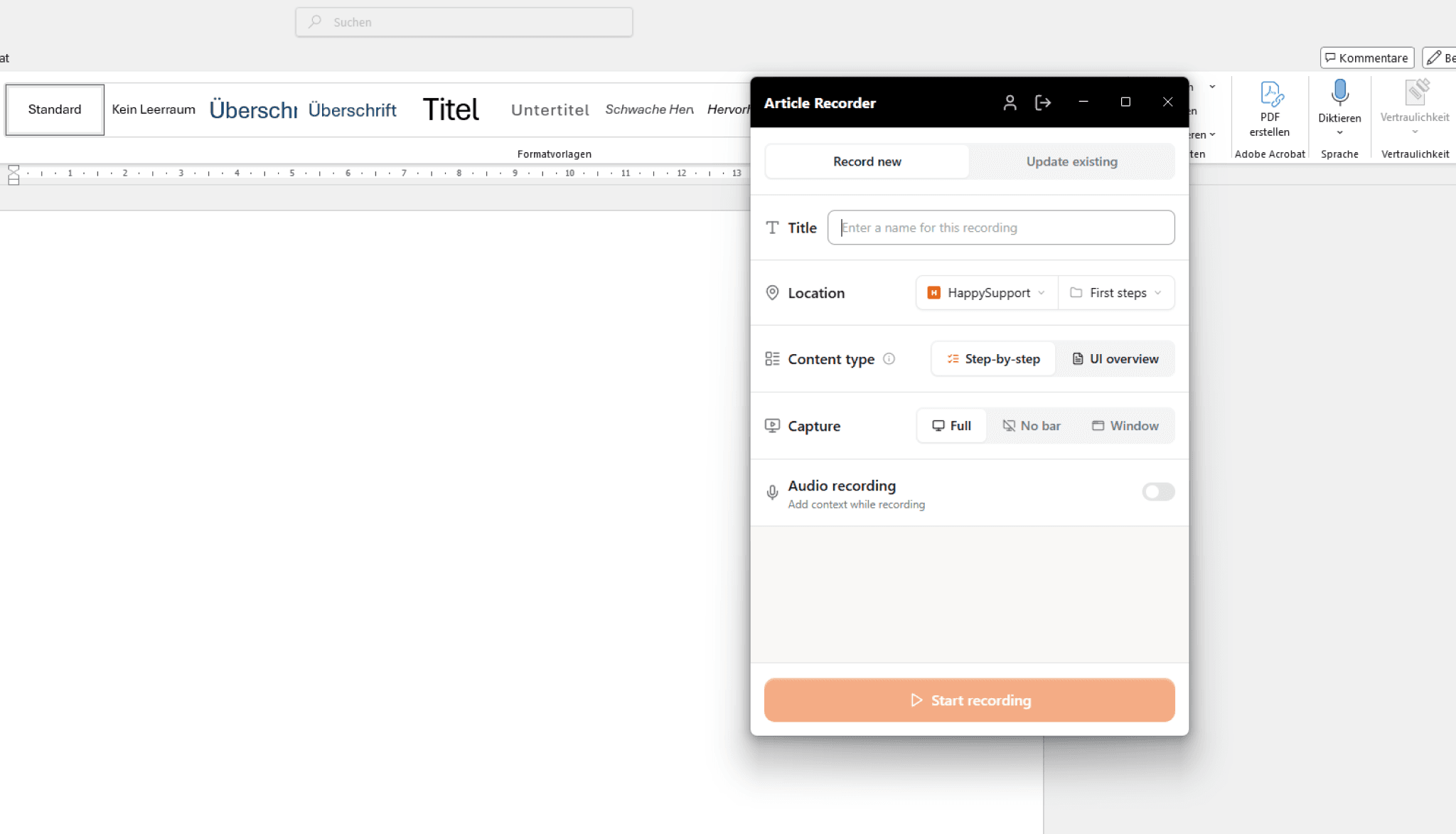
Recording feels like the Steps Recorder: start, click through, stop. What gets saved is more.
Whole screen or one window
Before you start, choose whether the app records the whole screen or a single window. On multiple monitors, no unrelated programs end up in the guide.
The clicked element
The app saves which element you clicked, not only where. So the text names the button, and readers find it on a different screen too.
Speak instead of a comment box
In PSR you type comments into a box. In HappySupport you say them while recording, and the note lands on the right step.
Redact data
Blur names, email addresses or amounts in one step or in every step at once. A PSR report shows each screenshot exactly as it was captured.
Web apps with the Chrome extension
For software in the browser there is the Chrome extension, also on macOS and Linux. Both write to the same help center, so guides for desktop and web programs live in one place.
Re-record into the same article
When a program changes, record the task again into the same article. The URL stays the same, and every shared link shows the new version.
Steps Recorder and HappySupport compared
Both take a screenshot on every click. The difference is what the recording becomes afterwards.
| Feature | HappySupport | Steps Recorder |
|---|---|---|
| Screenshot on every click | ||
| Text for each step | Written guide with introduction | Automatic click log |
| Output | Help center article, PDF or Markdown | ZIP report |
| Notes while recording | Spoken, matched to the step | Typed comments |
| Redact data in screenshots | ||
| Record a single window | ||
| Web apps on macOS and Linux | Chrome extension | |
| Development | Ongoing | Stopped, removal announced |
| Price | From 129 EUR a month per plan | Included in Windows |
As of October 2026. The Steps Recorder details rely on Microsoft's pages and the sources at the end of this page.

“I have honestly never written so many manual articles so quickly. I really enjoy it!”
 Pia ReddehaseCustomer Success Manager at gastromatic
Questions about replacing the Steps Recorder
What happens to PSR and what HappySupport does instead.
Is the Windows Steps Recorder being removed?+
Microsoft has listed the Steps Recorder (psr.exe) as deprecated since November 2023: it is no longer updated and will be removed in a future Windows release. Microsoft gives no date. Since a Windows 11 update in February 2024, the app itself shows a notice about it.
What does Microsoft recommend instead of the Steps Recorder?+
Snipping Tool, Xbox Game Bar and Clipchamp. All three record video. If you need one screenshot per click like PSR, for example for a guide, you get a video nobody can skim or search. HappySupport records steps with screenshots and text instead.
Is HappySupport a free alternative to the Steps Recorder?+
No. HappySupport has a 14-day free trial without a credit card and then costs from 129 EUR a month, flat for the team. That also includes a help center, a ticket inbox and a widget. If you only record the occasional bug for IT, the built-in Steps Recorder is the cheaper choice while it is available.
Can I import PSR recordings into HappySupport?+
No, there is no import for Steps Recorder ZIP reports. You record the task once with the HappySupport Windows app, and HappySupport usually writes the article in under a minute.
How do I install the HappySupport Windows app?+
Get the Windows app from the Microsoft Store and sign in with your HappySupport account. Then pick a title, a folder and the capture area, and start recording as you would with the Steps Recorder.
Does HappySupport record keyboard input?+
No, typing is not a separate step in HappySupport. The step shows the field, and you say what to enter while recording or add it to the text afterwards. Every click, right click, double click and drag becomes a step with a screenshot.
About the author
 Niklas GysinnFounder and CEO, HappySupport
Niklas Gysinn founded HappySupport in Stuttgart in 2025 and runs the company from Heilbronn today. He works on the product himself and talks directly with the teams moving their help center over from Zendesk, Intercom, Confluence and other tools. These comparisons come out of those conversations and out of the vendors' public pricing and help pages.
Sources
HappySupport replaces the Steps Recorder for guides, so this page is not neutral. That is why every statement about PSR names its source. Check Microsoft for the current status.
- Microsoft Learn, Deprecated features in the Windows client (retrieved October 2026)
- Microsoft Support, Steps Recorder deprecation (retrieved October 2026)
- COMPUTER BILD, Windows Steps Recorder is being discontinued, in German (retrieved October 2026)
- kostnix-web.de, Windows PSR guide, in German (retrieved October 2026)
Your help center, ready before your coffee.
Start for free and publish your first article today.