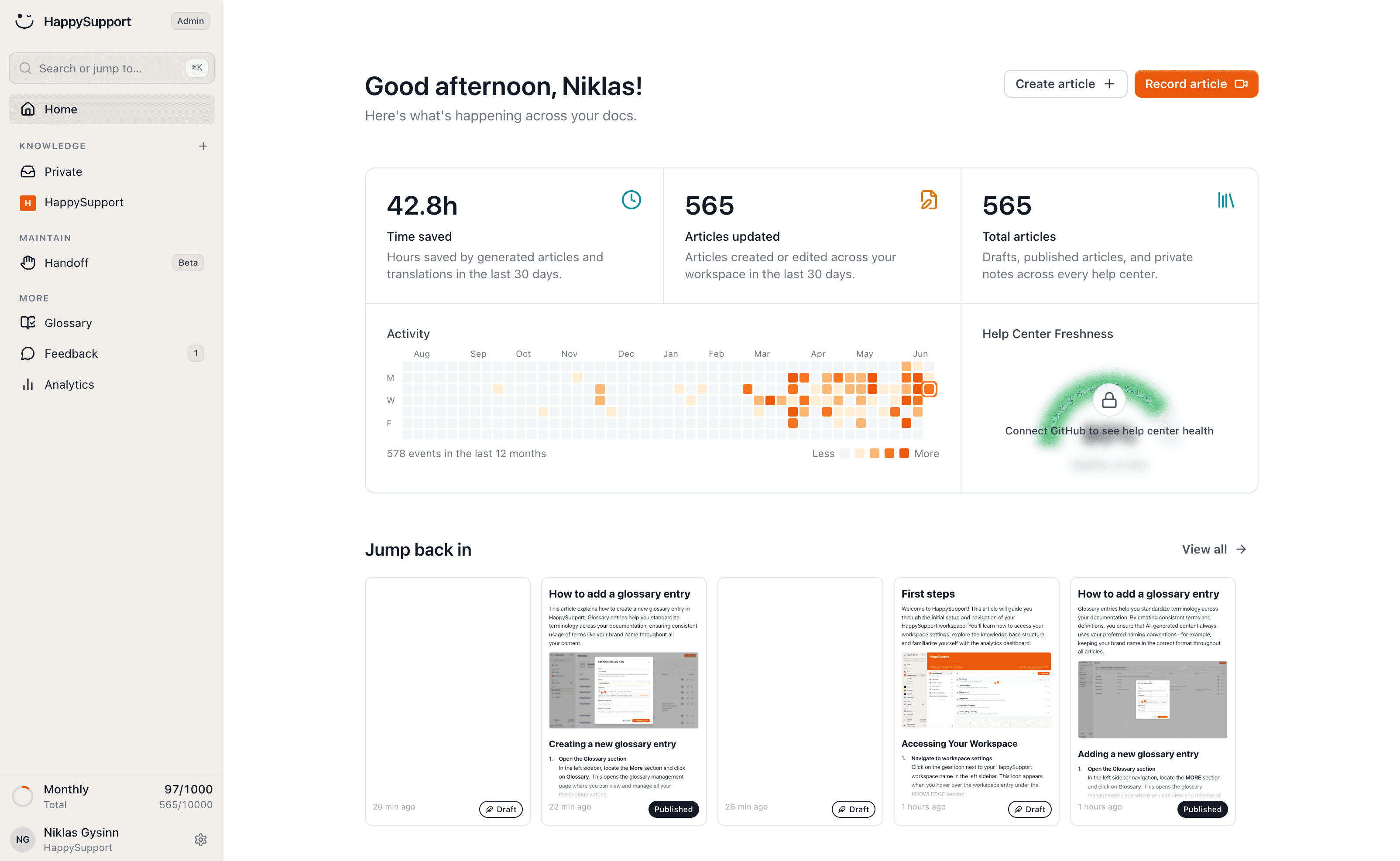
The Scribe alternative that maintains what it captures

Scribe turns one walkthrough into one guide. HappySupport turns it into a help center and maintains it from there: published, searchable, translated, and flagged for updates when your product changes. Already running a help center? Enter its address and we'll bring everything across.
HappySupport vs Scribe: the short answer
Scribe captures flows as step-by-step guides that you share by link or embed in other tools. HappySupport captures the same way, but publishes the guides in its own help center, translates them automatically and detects after every release which ones are no longer right. For internal process docs Scribe is often enough; for customer docs with frequent releases HappySupport fits better.
 Niklas GysinnFounder and CEO, HappySupport · ·
 These teams document with HappySupport



How do you write an article without an empty editor?
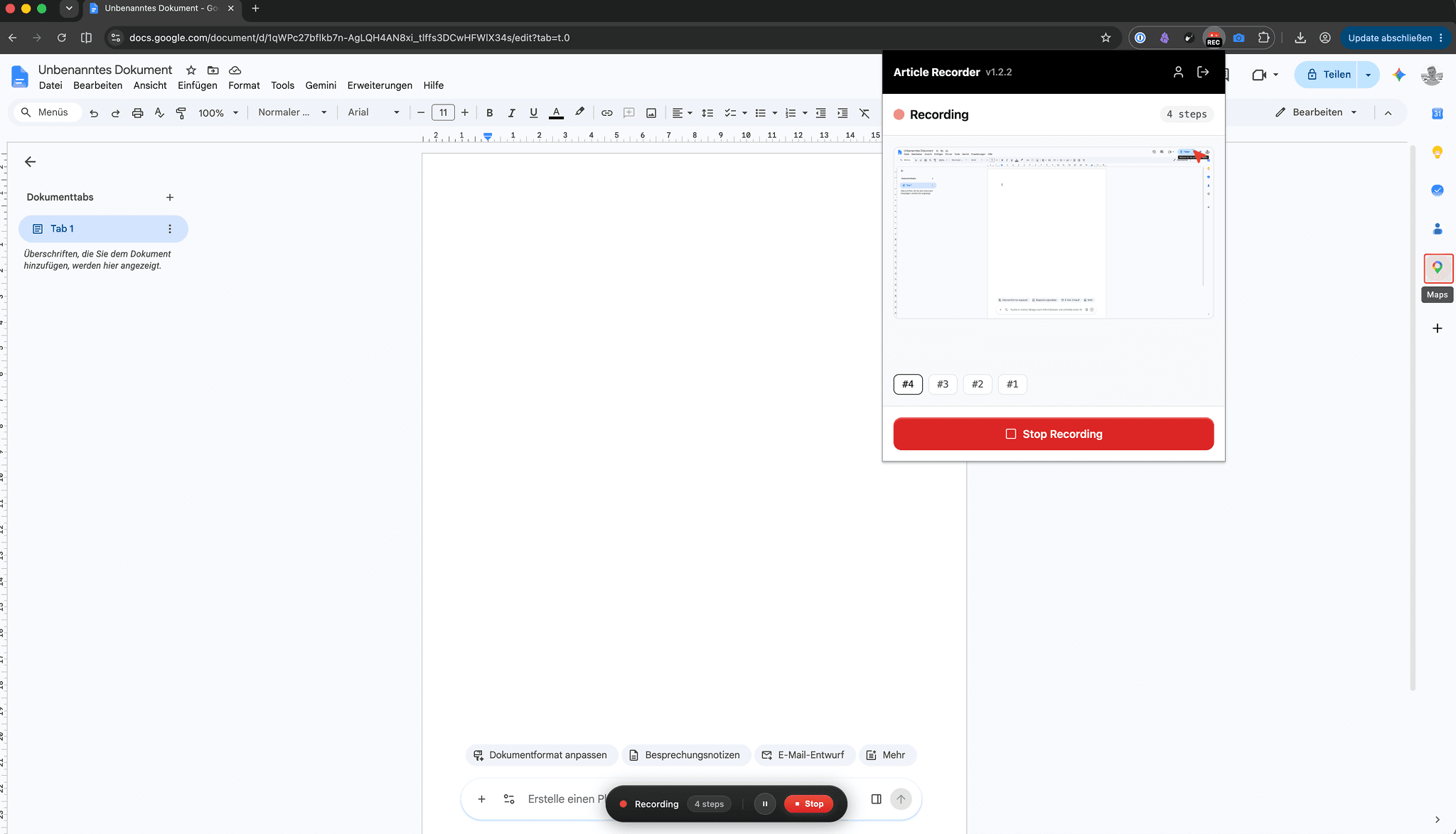
The recording becomes a published article in your help center, not a guide waiting in a workspace for a home.
Capture is the part Scribe got right: click through a flow, get a step-by-step guide. We start from the same motion.
The recorder captures every click as its own step, takes the screenshots itself and annotates them. Whatever you say while clicking ends up in the text.
How do the docs stay current when the product changes?
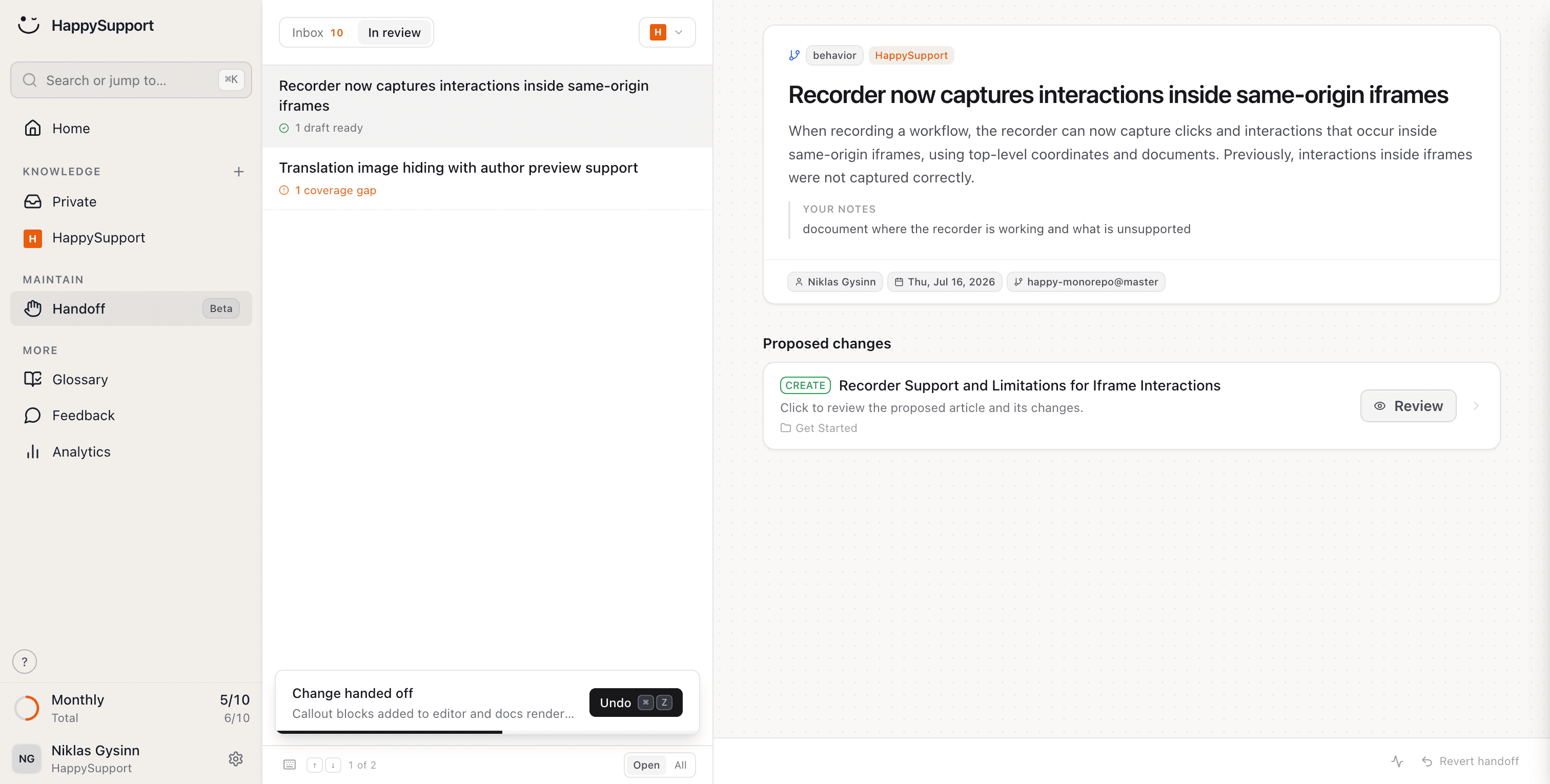
After every release HappySupport reads the changes in your repository, finds the guides they affect and hands you finished text edits to review.
A captured guide is a photo of your product on the day you recorded it. Ship a release that moves one button and the guide is wrong, silently.
You review and approve. Single screenshots are re-captured automatically from Professional; for whole flows you re-record the affected steps with the recorder in minutes, and you know which ones they are.
What does your team stop doing after leaving Scribe?
Writing articles, updating them after releases, translating and checking them: HappySupport takes on these eight jobs. Scribe captures the workflow. We capture it, publish it, translate it and keep it true.
Create articles just by clicking
Click through the flow once. Out comes a finished article with annotated screenshots, published in your help center rather than parked in a workspace.
AI article recorderYour docs stay current when your product changes
Handoff spots what changed in the product and proposes updates for exactly the articles it affects. Nobody hunts for outdated guides sprint after sprint.
Documentation from code changesCreate articles from what's in your code
Connect your repository and article drafts come out of what your engineers already wrote. Part of your documentation exists before anyone opens a recorder.
AI documentation agentEvery article uses the same terms
Terms are agreed once and enforced across every article. Guides recorded by five different people still speak with one vocabulary.
Your help center checks itself
46 checks across six categories run continuously: dead links, stale articles, missing images, structure, SEO. A folder of captured guides cannot tell you which of them rotted.
Documentation auditYour articles translate themselves
New languages appear automatically and stay current, screenshots included. You record the flow once, not once per market.
Multilingual knowledge baseCustomers find answers without the exact words
Semantic search finds the right article even when nobody remembers the exact heading. Guides stop being things you have to know the link to.
AI chatbot for customer serviceShare a single article by link
Every article has a permanent link at your own address, not a guide URL on somebody else's domain.
AI help centerWhat is the difference between Scribe and HappySupport?
Both capture a flow as a step-by-step guide; HappySupport then publishes, translates and maintains it in its own help center. Only the points where the two actually differ are listed here.
| Feature | HappySupport | Scribe |
|---|---|---|
| A full help center with search and structure | Shareable guides and pages | |
| Screenshots re-captured when the UI changes | Single screenshots, from Professional | Re-record by hand |
| Detect affected articles after a release | ||
| AI answers grounded in your own articles | From Professional, included in the plan | |
| Automatic translation, kept in sync | Enterprise only | |
| Enforced glossary across all articles | ||
| Continuous health check with auto-fix | 46 checks, 6 categories | |
| In-app tours that guide users inside your product | On Scale | |
| Pricing | Per plan | Per creator seat, team plans from five seats |

Ready to switch? Enter your help center address, or start empty and record your first article.
As of September 2026, checked against Scribe's pricing and security pages (sources at the end of this page). Features depend on plan; this compares the published self-service plans.
What do independent numbers say about Scribe?
Scribe is very well rated and fast at capture. The numbers below show what comes after capture costs and what self-service delivers overall.
4.8/5
Capterra rating for Scribe, though across only 41 reviews.
$13
per seat per month for Pro Team, billed annually, with a five-seat minimum. Pro Personal costs $25.
Enterprise
is Scribe's only plan with translations, SSO and automatic redaction, priced on request.
14%
of customer service issues are fully resolved in self-service, according to a Gartner survey of 5,728 customers.
What does Scribe say, and what is our answer?
Scribe's strongest arguments are on its own pages, and some of them hold. Here is each one with its source and our answer to it.
Scribe says
“35 hours saved per person per month” and “12x faster documentation”.
Our answer
The time saved at capture is real; our recorder works the same way. The math turns after the first release: someone has to find every guide whose UI changed and record it again. HappySupport detects those articles after every release and proposes the text edit.
Scribe says
“Recapture the Scribe in minutes. The updated Guide Me walkthrough is live immediately.”
Our answer
That is Scribe's honest answer to stale guides: record again. It assumes someone knows which guide is affected, and that is exactly what HappySupport detects from your code. Single screenshots are re-captured automatically on our side; whole flows are re-recorded by hand.
Scribe says
“Over 7 million users” and “Trusted by 94% of the Fortune 500”.
Our answer
Scribe is the better-known tool and a good choice for internal process docs. For customer docs the help center around it is missing: you share Scribe guides by link or embed them in another system. HappySupport publishes them in its own help center with search, structure and AI answers.
Scribe says
SOC 2 Type II, HIPAA, CCPA, GDPR and FERPA.
Our answer
True, and here Scribe is ahead of us: HappySupport has no SOC 2 report and no HIPAA coverage. Your data stays in Germany with us, under a data processing agreement. Scribe's security page names no data region.
How long does moving from Scribe take?
You re-record guides with the recorder in a few minutes each, and an existing help center is imported with its redirects in minutes. Whether your docs live in a help center today or in a pile of shared guide links, the switch leaves nothing behind.
Old addresses keep working
If you import an existing help center, every old address gets a redirect automatically. Shared links, bookmarks and Google results still land on the right article.
Internal references stay intact
Links between your guides are detected and relinked as article links. A guide that pointed at another one still finds it.
Screenshots come across
Existing images are imported and hosted by us. When the UI changes, single screenshots are re-captured automatically from Professional; whole flows you re-record with the recorder in minutes.
Guides become an organized help center
Articles live in categories and folders with search on top, instead of a list of links you paste into chats.
“Every product update used to mean a week of updating screenshots and rewriting guides. Now our docs update themselves. My team finally works on customer success instead of content maintenance.”
 Lisa AlberDirector of Customer Success
What do teams ask before leaving Scribe?
The questions teams ask us before a switch.
Can I import my existing Scribe guides?+
There is no one-click Scribe import. Most teams re-record their important guides with the recorder, which takes a couple of minutes per guide, and import their existing help center if they run one alongside.
Isn't Scribe enough for us?+
For stable internal processes it often is. The gap opens when guides face customers and the product ships weekly: screenshots do not notice releases. If someone spends hours re-recording guides after every sprint, that time is the real comparison.
Do readers or teammates need paid seats?+
No. HappySupport is priced per plan. In Scribe, paid seats are for creators and team plans start at five seats; here the whole team can create and everyone can read without a per-seat bill.
How long does getting started take?+
Importing an existing help center runs in minutes, and a first recorded article takes about two. You start from your existing content rather than a blank page.
Where is our data hosted?+
In the EU, by default and at no extra cost. That covers the GDPR questions your customers' procurement teams like to ask.
How does HappySupport compare to Scribe on price?+
Current plans are on our pricing page. Scribe's per-seat price is fair for capture; the line worth comparing is the hours of re-recording it leaves on your desk after every release.
About the author
 Niklas GysinnFounder and CEO, HappySupport
Niklas Gysinn founded HappySupport in Stuttgart in 2025 and runs the company from Heilbronn today. He works on the product himself and talks directly with the teams moving their help center over from Zendesk, Intercom, Confluence and other tools. These comparisons come out of those conversations and out of the vendors' public pricing and help pages.
Sources
HappySupport competes with Scribe, so this page is not neutral. That is why every number and every quote carries its source. Prices and ratings change; check them with the vendor before you decide.
- Scribe, pricing (accessed September 2026)
- Scribe, homepage (accessed September 2026)
- Scribe, security (accessed September 2026)
- Scribe, Guide Me (accessed September 2026)
- Capterra, Scribe reviews (accessed September 2026)
- Scribe help, sharing and embedding guides (accessed September 2026)
- Gartner, survey: only 14% of customer service issues are fully resolved in self-service (August 2024)
Your help center, ready before your coffee.
Start for free and publish your first article today.