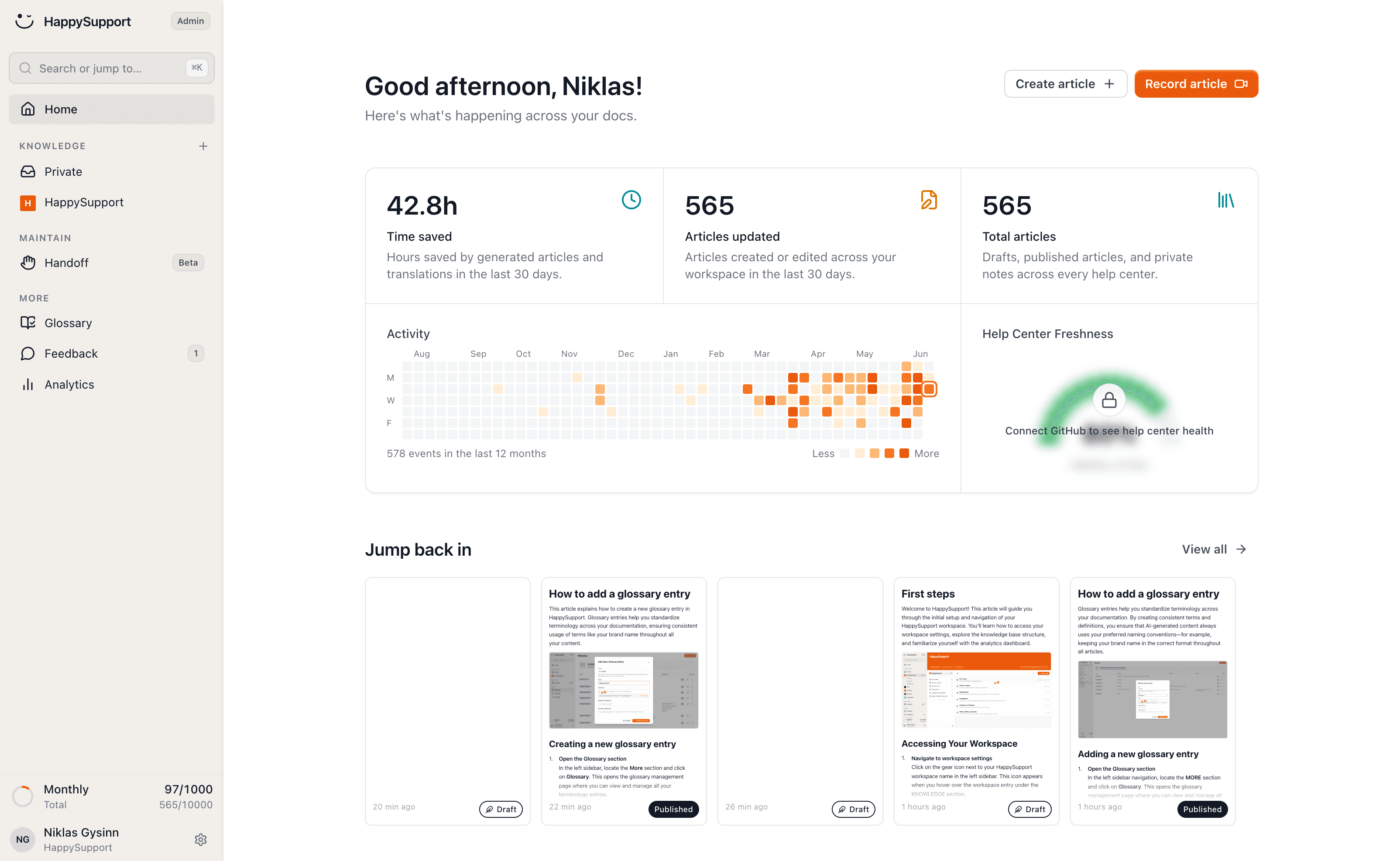
One knowledge base, every language
Write your knowledge base once and publish it in 12+ languages. HappySupport translates every article automatically, including the text inside your screenshots.
These teams document with HappySupport



Supporting international customers has meant: sending every article to an agency, recreating screenshots in each language and repeating it all on every update.
With HappySupport every language is just a switch. You publish, the rest happens automatically, and stays in sync on every change.
What is a multilingual knowledge base?
A multilingual knowledge base is one set of help articles published in several languages and maintained as a single source, rather than as separate copies per language. You write once and every language follows.
The word doing the work there is maintained. Publishing in eight languages is a one-off translation job. Keeping eight languages true to the product after every release is the part that defeats most teams.
Translation is not the hard part
Machine translation solved the sentences years ago. What it never solved is everything around them: the screenshots, the interface labels quoted inside the steps, and the fact that language six is still describing a screen that changed last week.
So the useful question about a multilingual knowledge base is not how many languages it supports. It is what happens to the other seven languages on the day you edit the original.
Screenshots in every language
A translated article with an English screenshot is still an English article to the reader. The text inside the image is where the button names live, and that is exactly what someone following the steps is looking at.
HappySupport translates the content of the images too, and recaptures them per language when the underlying screen changes, so the pictures do not drift out of sync with the words.
Keeping terminology consistent
Consistency across languages is a glossary problem before it is a translation problem. Left alone, a machine will translate the same feature name three different ways across three articles.
Setting your terms once per language fixes that everywhere at once, including in articles translated months later.
Translated the moment you publish
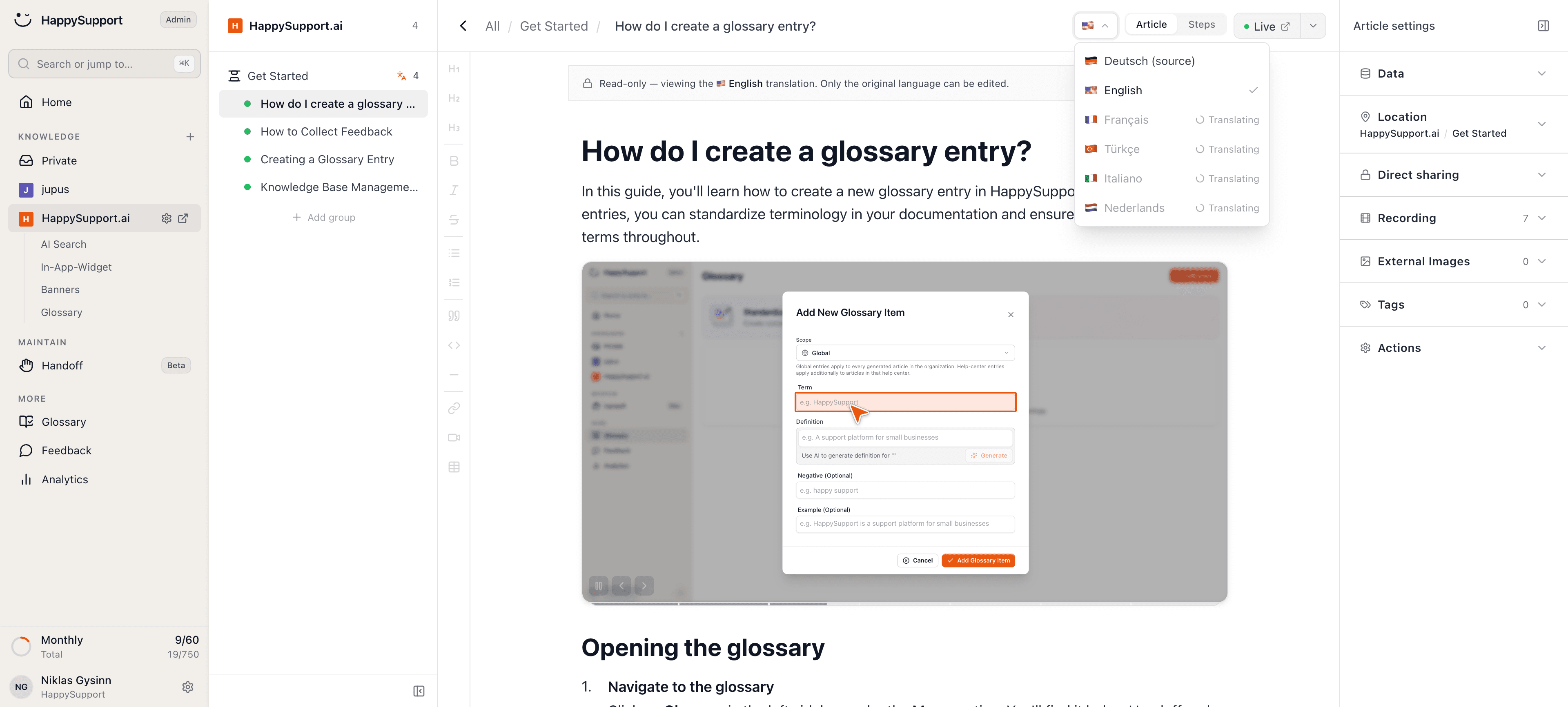
Pick your target languages once. Every new or changed article is translated and published automatically.
No copy-paste, no waiting, no separate workflow per language.
Even the images speak your customers' language
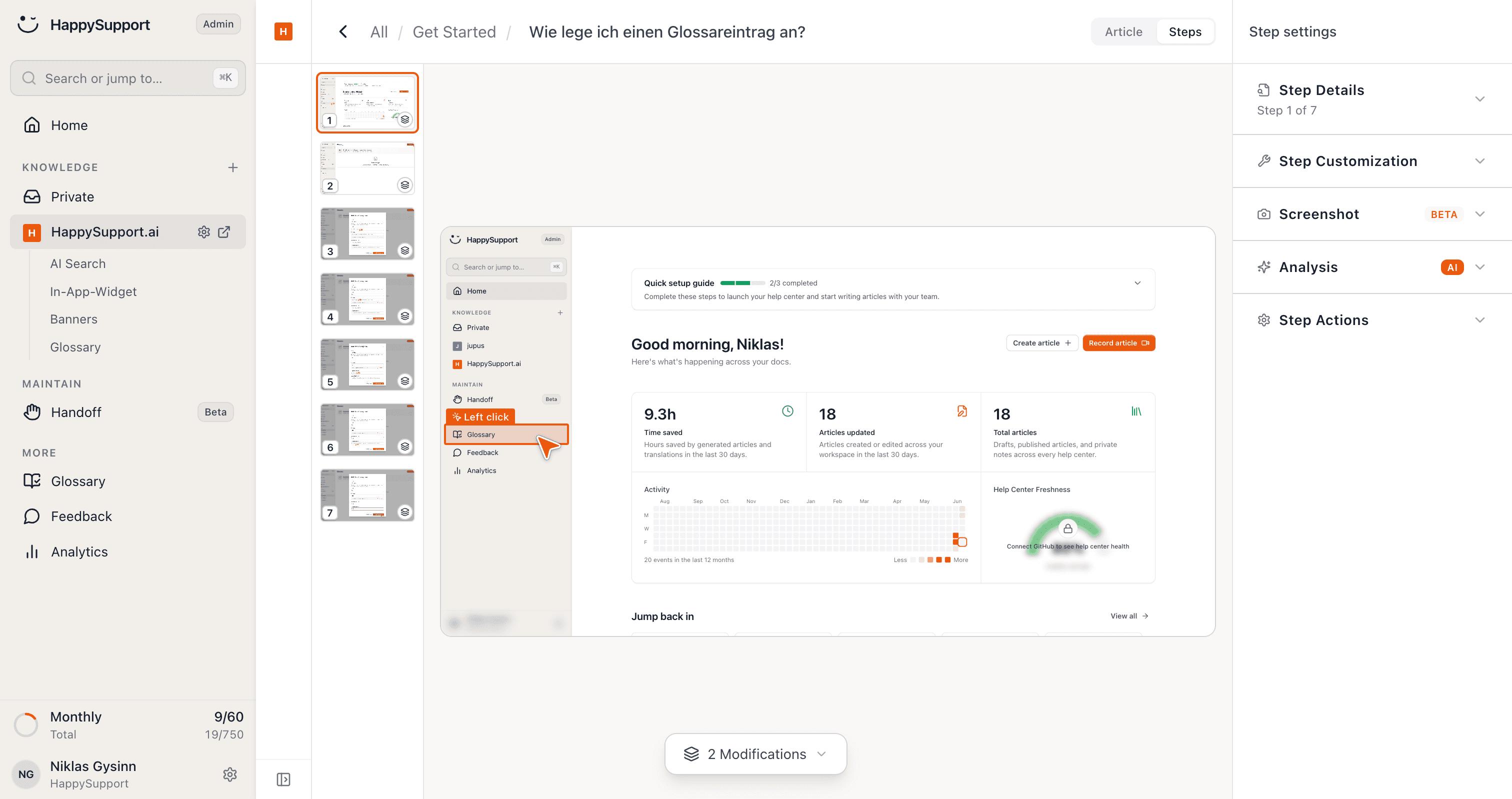
Most tools translate only the text, leaving screenshots in German or English. HappySupport also translates the content inside your images.
So a customer in France sees the same workflow in French inside your product.
And when something changes, it is not just the text that gets re-translated: the screenshots are automatically recaptured in every language on every change.
Features for global teams
12+ languages
Your articles are available in multiple languages instantly.
Screenshot translation
Image text is carried over into your target languages too.
Consistent terms
Your glossary keeps terminology uniform per language.
Always in sync
Change the original and text and screenshots follow automatically in every language.
Multilingual knowledge base questions
What teams ask before publishing their help center in more than one language.
What is a multilingual knowledge base?+
A multilingual knowledge base is one help center published in several languages from a single source. Each article has one original and its translations, so an edit to the original is an edit to every language.
How many languages are supported?+
More than twelve, and they are switched on per help center rather than bought per article. Adding a language does not mean re-doing the work you already did in the others.
Do the screenshots get translated too?+
Yes. The text inside your screenshots is translated along with the article, and the images are recaptured per language when the screen behind them changes. Most tools translate only the prose and leave the pictures in the original language.
What happens to translations when I edit the original?+
Every language follows automatically. Changing the source article re-translates the text and refreshes the screenshots in each language, which is what keeps the set from splitting into eight versions of slightly different truth.
Do I still need a translation agency?+
For help articles, no. Agencies bill per round and cannot keep pace with a product that ships weekly, which is why translated help centers usually go stale before they go wrong. Marketing copy is a different decision.
How do I keep our product terms from being translated inconsistently?+
Through the glossary. You define how each term should read per language once, and every translation uses it, so a feature name does not arrive as three different words in three articles.
Your help center, ready before your coffee.
Start for free and publish your first article today.
 Book a demo