
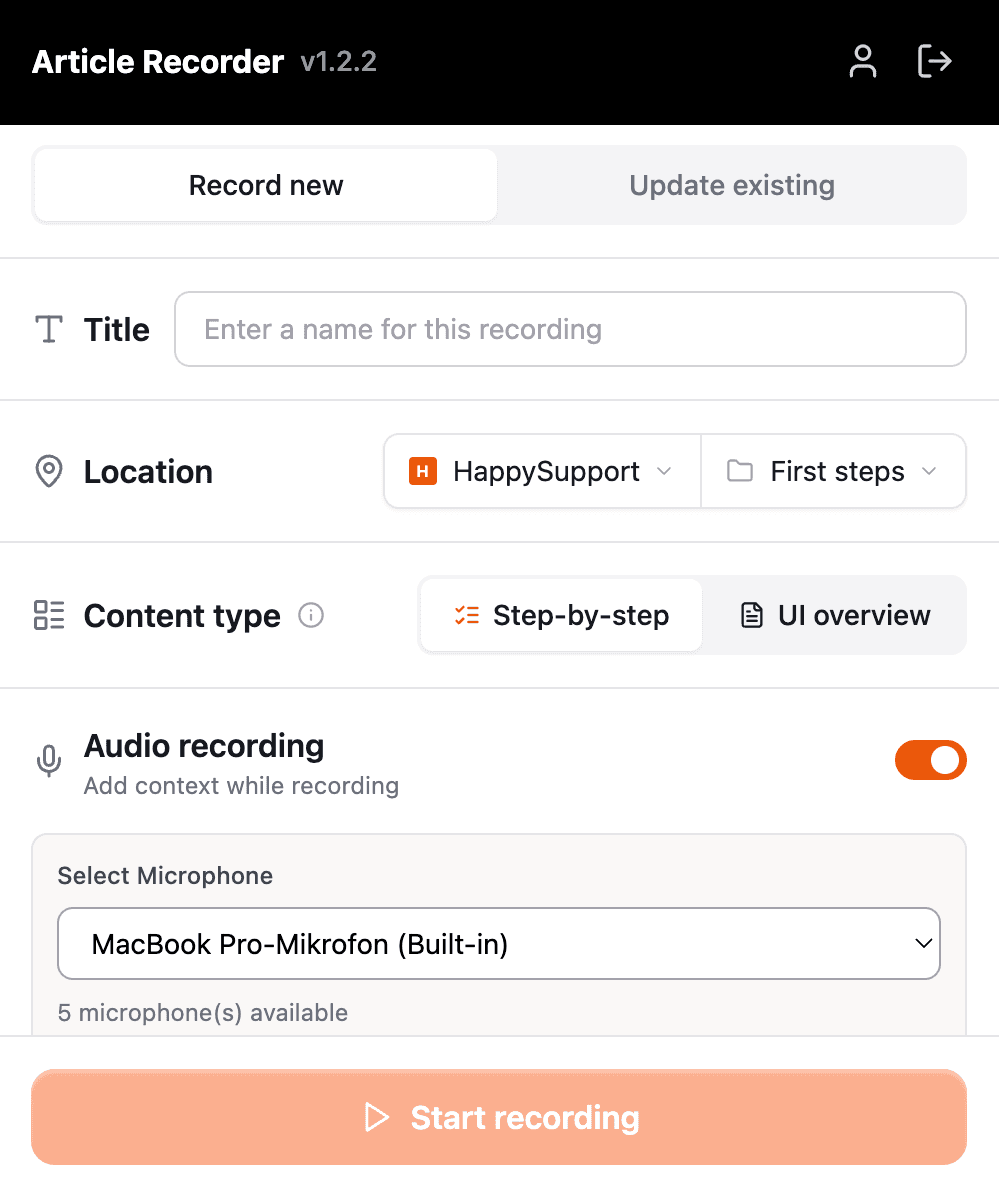
1. Start the recording
Give the recording a name, pick the help center folder it belongs in and switch on the microphone if you want to explain as you go.

The HappySupport recorder captures every click with a screenshot, listens to what you say along the way and writes the help article from it. You fix details on the captured page instead of taking screenshots again, and publish to your help center, the in-app widget or a product tour.

The HappySupport recorder is an AI step-by-step guide creator for software teams. You click through a workflow once in Chrome or in a Windows program, and HappySupport turns the recording into a help article with a heading, an introduction and one step with a screenshot for every click. What you say while recording ends up in the text.
The HappySupport recorder is included in every plan, from Starter at 129 euros per month billed yearly (155 euros billed monthly), excl. VAT, flat rather than per seat. Every plan can be tested free for 14 days.
These teams document with HappySupport



No screenshot tool, no image editor and no blank page. You do the task once, HappySupport does the documentation work.
Give the recording a name, pick the help center folder it belongs in and switch on the microphone if you want to explain as you go.
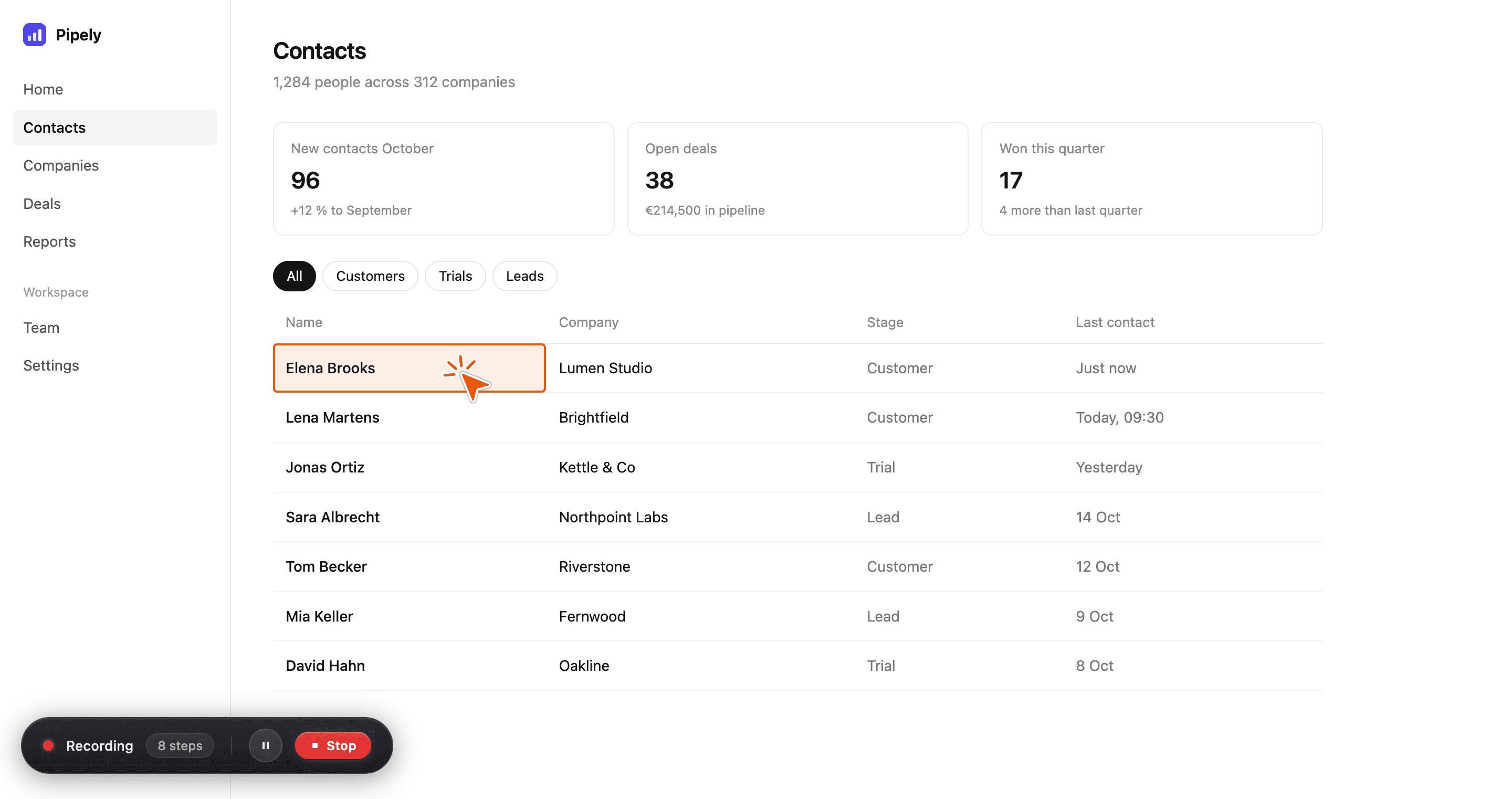
Work through the task as usual. Every click becomes a step with a screenshot, and the recorder counts the steps while you go.
HappySupport writes the title, the introduction and the text for each step, and places the screenshots in between. You review it, edit if needed and publish.

“I have honestly never written so many manual articles so quickly. I really enjoy it!”
 Pia ReddehaseCustomer Success Manager at gastromatic
The HappySupport recorder saves more than a picture, in Chrome and in the Windows app. It keeps a copy of the screen itself, with its text, layout and elements. That is why you can still change what a screenshot shows long after you recorded it.
Try it on your app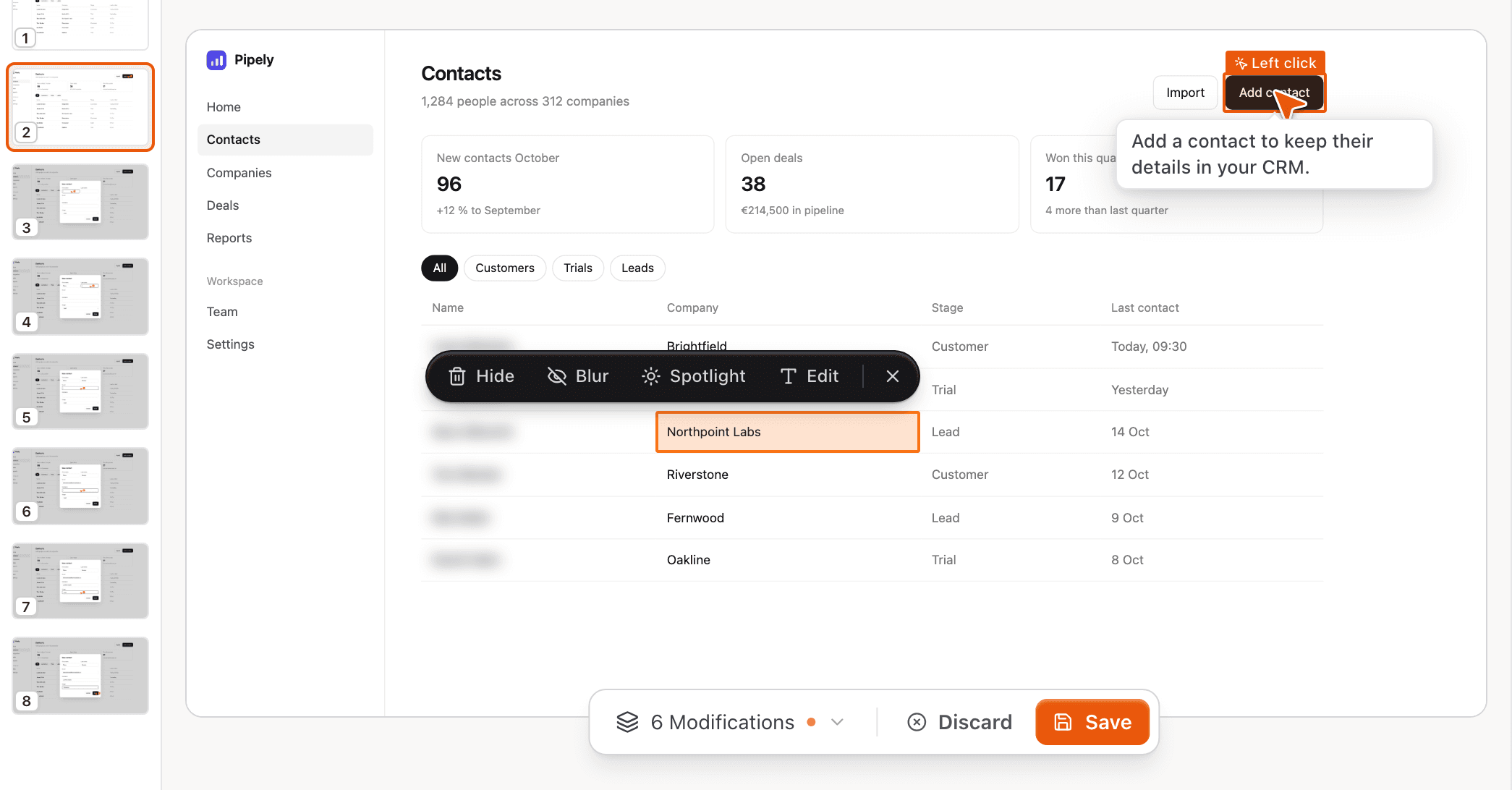
Click any text on the captured page and change it: a test customer's name, a typo in the UI, a number that looks odd. The screenshot updates, and nobody has to record the task again.
Remove a banner that doesn't belong, blur an email address or put the focus on one element. Your readers see what matters, and private data stays out of the help center.
When the same element appears on several steps, you apply the change to all of them at once. Published images always show the edited version, never the raw capture.
HappySupport does the small jobs you would otherwise do by hand for every screenshot.
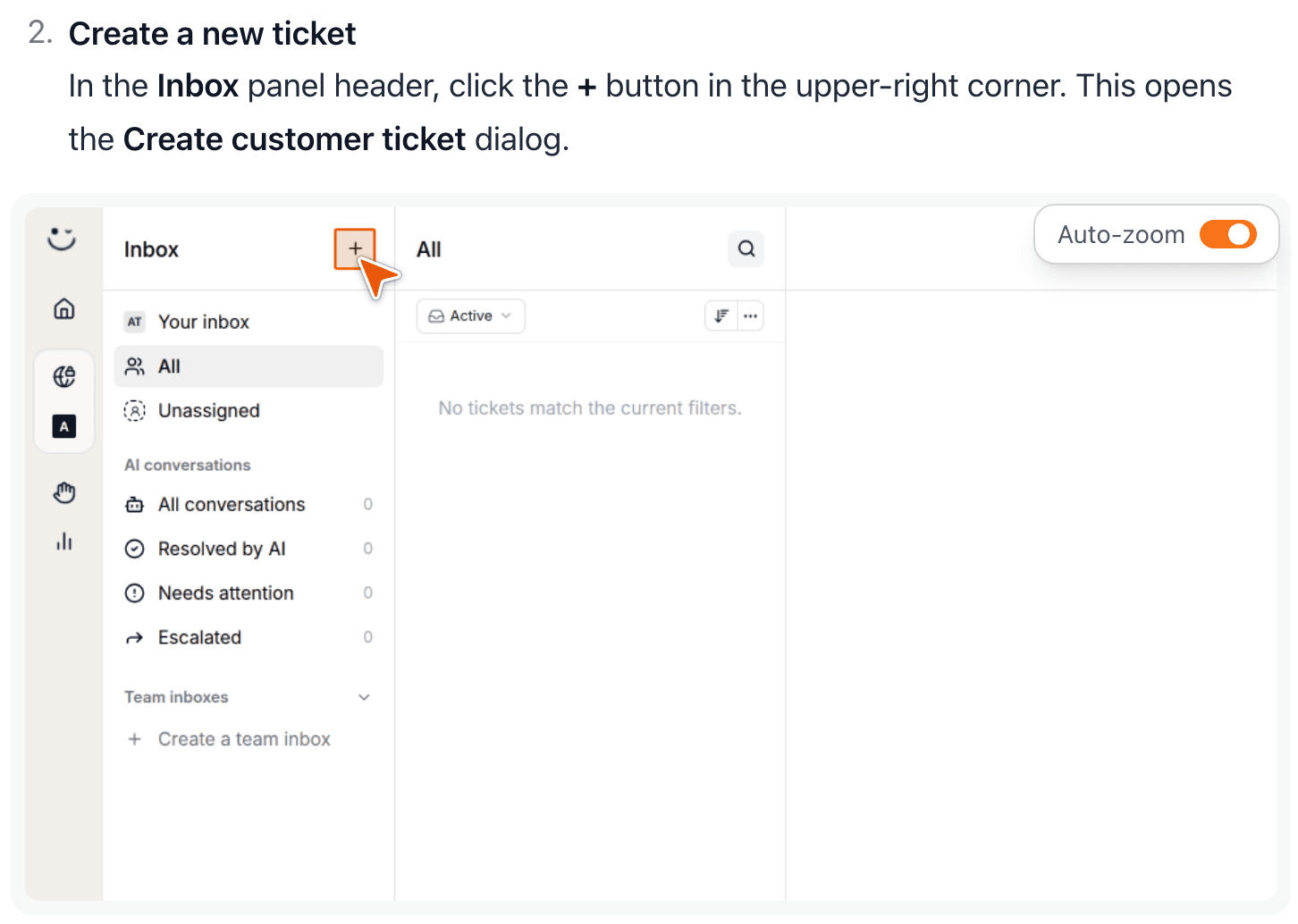
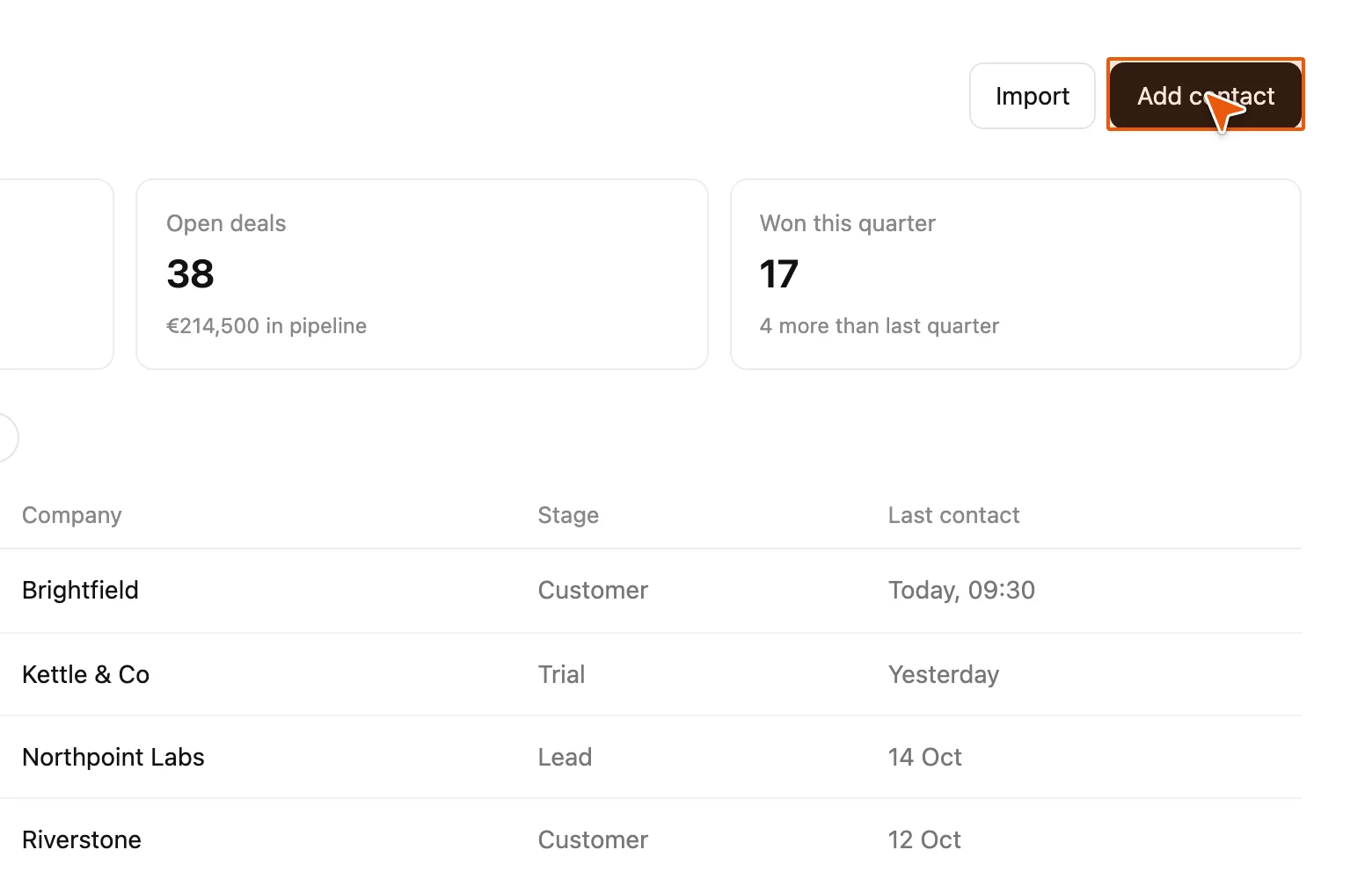
Each step image zooms to the element that was clicked and marks it with a cursor, so readers find the button without searching the whole screen. Auto-zoom can be switched off per image.
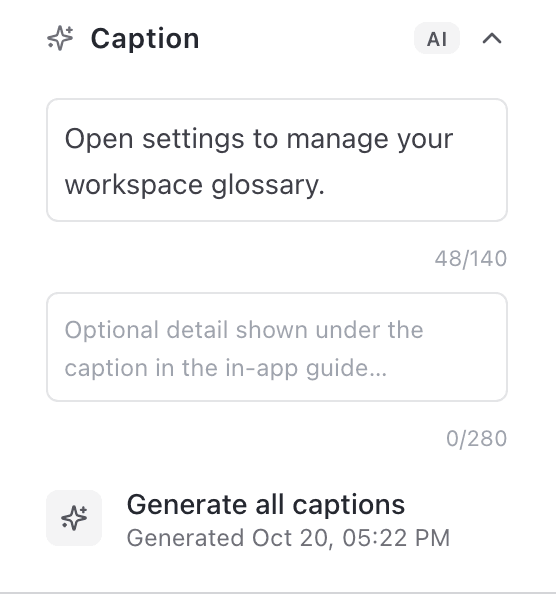
HappySupport writes a short caption per step from the screenshot. It labels the step in the editor and becomes the bubble text when the article runs as a product tour.
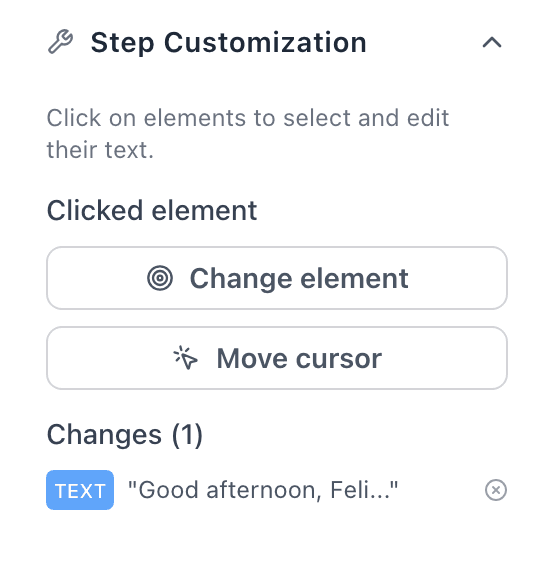
If a click landed slightly off, you pick the right element or move the cursor. Every change is listed and can be undone.
“Only pick Admin if they also need to manage billing.”
Choose Admin only if the person should also manage billing and team settings.
Narration is transcribed per step and written into the text. The AI knows not only where you clicked, but why, and adds the hints only you would know.
Use the Chrome extension for web apps and the Windows app for programs that run outside the browser. Both write into the same help center.
Records web apps in Chrome on Windows, macOS and Linux. Saves an editable copy of every page, including menus that only open on hover, pages inside frames and modern component libraries.
Records native Windows programs across the desktop. Every click becomes a step, and like the Chrome extension the app keeps an editable copy of the screen. Narration works here too.
A recorder for native macOS programs is planned. Web apps can already be recorded on a Mac with the Chrome extension.
The article the recorder writes is a normal HappySupport article. Everything else in the suite works with it.
Publish the article in your help center, keep it internal for your team or in your private space as an SOP.
Switch on the in-app guide and the article runs as a tour in your app, step by step. Available on Scale.
Article text and step captions are translated into the languages of your help center: one on Starter, five on Professional, ten on Scale.
Set formal or informal address once, and the glossary makes the AI use your product's terms (glossary from Professional).
Readers find the article in the HappySupport widget inside your product. From Professional, the AI chatbot answers questions from it too.
Download any article as a PDF or as a Markdown bundle with its images, on every paid plan.
Screenshots go stale when your product changes. HappySupport gives you several ways to update them without starting over.
Record the task again and it replaces the old version. The URL stays the same, so links from tickets and emails keep working.
Record just the step that changed. The recorder stops after one click and shows the old and new screenshot side by side.
Git Handoff reads your code changes and lists the articles they affect, with a link that starts the recorder for exactly that article.
On Professional and Scale, HappySupport can open the step's page in a cloud browser and take a fresh screenshot for you. This feature is in beta.
The recorder is where most HappySupport content starts. These pages cover what happens next.
Turn a recorded article into an interactive tour that walks users through your real interface.
How step-by-step click guides help customers and where they work better than videos.
Why Microsoft is retiring the Windows Steps Recorder and what to use instead.
What Starter, Professional and Scale include, from the recorder to translations and tours.
What it records, what it costs and how it compares.
No, HappySupport has no free plan, and the recorder is not sold on its own. The recorder is included in every HappySupport plan, and you can test it free for 14 days. After that, Starter costs 129 euros per month with 50 active articles, Professional 399 euros with 300 and Scale 899 euros with 750, billed yearly (155, 479 or 1,079 euros billed monthly), excl. VAT, flat rather than per seat.
Yes. Recordings can go to your private space or stay internal for your team, and every paid plan can download an article as a PDF or as a Markdown bundle. You don't have to publish anything to use the HappySupport recorder as an SOP generator.
Every click, right click, double click and drag becomes a step with a screenshot, the page URL and the clicked element. HappySupport also saves an editable copy of the screen, in Chrome and in the Windows app. Typing and scrolling are not separate steps: the step shows the field, and you can say what to enter while recording. One recording holds up to 70 steps.
Scribe and Tango produce screenshot guides. HappySupport also saves the screen itself, in the browser and on the Windows desktop, so you edit text and blur elements on the capture instead of recording again. The article lands in your own help center and widget, can run as a product tour, and Git Handoff tells you which articles a code change affects. HappySupport charges a flat price per plan, not per seat.
Yes, for web apps. The HappySupport Chrome extension runs in Chrome on macOS, Windows and Linux. For native desktop programs there is a Windows app. A desktop recorder for native macOS programs is planned but not available yet.
Switch on audio recording before you start and pick a microphone. HappySupport transcribes what you say, assigns it to the step you said it on and uses it when writing the article text. Narration is optional: without it, HappySupport writes the article from the screenshots and clicks alone.
You set the recording language in the recorder: English, German, French, Spanish, Italian, Dutch, Czech or Turkish. HappySupport writes the article in that language and translates text and step captions into your help center's other languages, one on Starter, five on Professional and ten on Scale.
Before you publish, blur or hide anything sensitive, on one step or on every step that shows the same element. HappySupport does not mask fields automatically, so check each recording once. Published images always show the edited version. Recordings are stored in Germany and are never used for AI training.
You re-record the article, and the new version replaces the old one under the same URL. For a single changed step, you replace just that screenshot. Git Handoff in HappySupport shows which articles a code change affects, and on Professional and Scale single screenshots can be re-captured automatically (beta).
Yes. On the Scale plan, one switch in the article settings turns the recorded article into an interactive tour in your app. The tour uses the elements HappySupport saved while recording, and the bubbles show the step captions.
Start for free and publish your first article today.


 Book a demo