HelpDocs is a good, focused knowledge base. It publishes clean help articles on your domain, embeds them in your product with the Lighthouse widget, answers readers with Ask AI and does not charge per viewer. So when teams look for HelpDocs alternatives, it is rarely because HelpDocs is broken. It is because they have outgrown what a standalone knowledge base does.
The quick answer. If you want your help center, AI chat, ticket inbox and in-app widget in one product, and you are tired of updating screenshots after every release, look at HappySupport. If you need enterprise governance and SOC 2, look at Document360. If you want a dedicated knowledge base with lots of seats and a flat fee, Helpjuice. If your team already lives in a shared inbox, Help Scout. If your docs are half developer content, GitBook. If your site runs on WordPress, Heroic KB.
HappySupport publishes this comparison and is one of the tools in it. All competitor pricing was checked on official vendor pages in September 2026.
What HelpDocs gives you today
It is worth being precise about the baseline, because a lot of "alternatives" lists compare against an outdated HelpDocs.
HelpDocs has three plans, each with a 14-day free trial and no credit card. Sprout costs $129 per month, or $99 per month billed annually, with 5 editors, 1,000 AI credits, 3 languages and 1,000 contact form submissions. Bloom costs $299 per month ($239 annually) with 15 editors, 5,000 AI credits and 20 languages. Harvest costs $499 per month ($399 annually) with 25 editors, extra editors at $25 each, 10,000 AI credits and unlimited languages. Every plan includes a custom domain, unlimited articles, unlimited public viewers, read and write API access, PDF export and the Lighthouse widget. Advanced permissions, an audit trail and JWT single sign-on start on Bloom (HelpDocs pricing).
On AI, HelpDocs Ask AI answers readers from your published articles and links back to the source, and HelpDocs also exposes docs over MCP and publishes an llms.txt index on eligible plans (HelpDocs AI). It imports from Zendesk, Helpjuice and Google Drive.
What HelpDocs is not: a help desk. It is a knowledge base with a contact form and integrations into Zendesk, Intercom, Front and others. The conversation, the ticket and the reply live in a second tool.
Why teams switch from HelpDocs
The most common reasons teams look for a HelpDocs alternative:
- Two tools for one customer journey. The reader searches HelpDocs, asks Ask AI, gives up, and lands in a separate helpdesk where the agent has no idea what they already read. Two subscriptions, two admin panels, two sources of truth.
- Writing is still manual. HelpDocs AI drafts and rewrites text, but someone still clicks through the product, takes screenshots, crops them and pastes them in.
- Articles go stale after releases. Nothing in a standalone knowledge base knows that engineering renamed a button on Tuesday. You find out from a ticket.
- Editor-count planning. Five editors on Sprout is fine until support, product and customer success all want to fix articles.
If none of these apply to you, you probably do not need to switch. More on that at the end.
HelpDocs alternatives compared
| Tool | Best for | Starting price (published) | Ticket inbox | AI answers for readers | Main limitation |
|---|---|---|---|---|---|
| HelpDocs (baseline) | Focused hosted knowledge base | $99/month billed annually | No (contact form) | Ask AI | Separate helpdesk needed |
| HappySupport | One support suite that keeps docs current | 129 EUR/month flat | Yes | From Professional (399 EUR) | Starter has 1 team member, custom domain from Professional |
| Document360 | Enterprise knowledge bases with governance | Quote-based | No | Eddy AI | No public pricing |
| Helpjuice | Standalone KB with many seats | $249/month (30 users) | No | AI Suite from $449/month | AI costs a plan jump |
| Help Scout | Teams centered on a shared inbox | Free plan; $25/user/month | Yes | AI Answers $0.75/resolution | Per-user pricing, Docs is secondary |
| GitBook | Product plus developer docs | Free; $65/site/month + $12/user (annual) | No | AI Assistant on Ultimate ($249/site) | Built for technical docs |
| Heroic KB | WordPress sites | $169/year list (1 site) | Separate plugin | Pro + AI tier | You run WordPress |
1. HappySupport
Best for: SaaS teams that want the help center, AI chat, ticket inbox and in-app widget in one product, with articles that do not rot after each release.
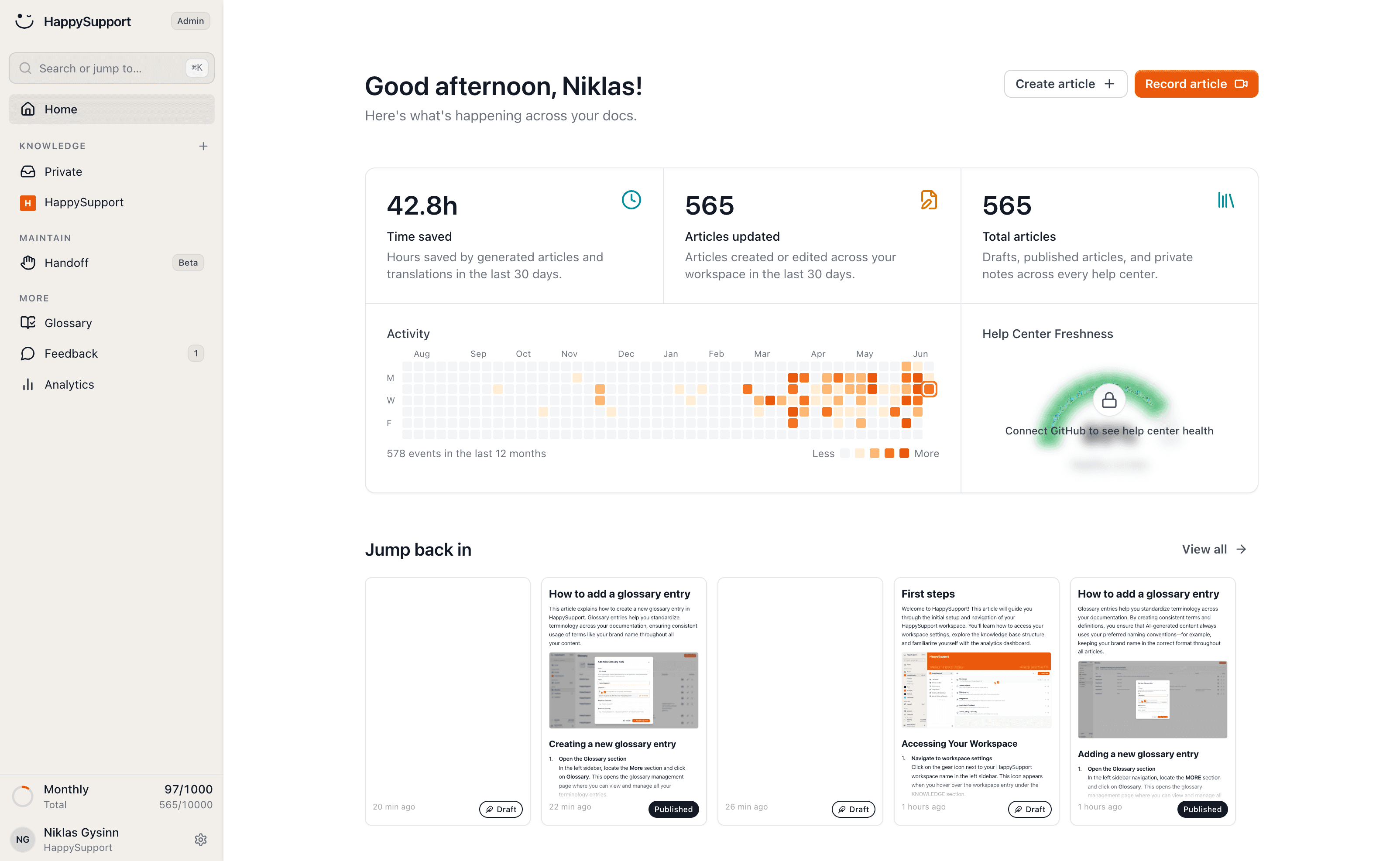
HappySupport is a full customer support suite for SaaS. The help center is the core, and around it sit an AI chat that answers only from your own articles, an in-app widget and a ticket inbox. When the AI cannot solve something, the chat escalates to a human. Tickets also come in through the widget contact form, manually or by email, and your team works them with email replies, internal notes, priority, status and assignee. Keep your existing helpdesk if you like it; if you do not have one, you do not need to buy one.
The difference from HelpDocs is how articles get written and kept current. HappyRecorder, a Chrome extension and a Windows desktop app, records a workflow once and writes the article with screenshots, with sensitive data hidden. Git Handoff reads code changes and proposes article updates that a human approves, so a renamed setting shows up as a suggested edit instead of a customer ticket. A 46-check content health audit scores the help center and links every finding to the fix. Imports from Intercom, HubSpot and other help centers create redirects automatically.
Pricing: flat monthly, no per-agent fees, 14-day free trial without a credit card (pricing).
- Starter, 129 EUR: 50 active articles, 1 help center, 1 team member, 1 additional language, AI recorder, writer and editor, Felix AI agent, widget with article browsing and search, private article links, URL redirects, MCP server.
- Professional, 399 EUR: 300 articles, 3 help centers, 5 members, 5 additional languages, 250 AI answers per month, password protection, glossary, Git Handoff and code search, health audits with AI fixes, custom domain and branding.
- Scale, 899 EUR: 750 articles, 5 help centers, 10 members, 10 additional languages, 1,000 AI answers per month, app authentication and SSO, in-app banners, audience targeting.
Limitations, honestly: at the entry price HelpDocs gives you more. Sprout includes 5 editors, unlimited articles, a custom domain and Ask AI; HappySupport Starter has 1 team member, 50 articles, no custom domain and no customer AI answers. The like-for-like comparison is Professional at 399 EUR against Bloom. Automatic screenshot updates and guided in-app tours are marked "Soon". HappySupport is hosted on EU infrastructure in Germany and GDPR compliant with a DPA, but it has no SOC 2 report and no self-hosting, and its AI features run in the EU on Microsoft Azure OpenAI and Amazon Bedrock.
2. Document360
Best for: larger companies that need editorial workflows, compliance and several knowledge bases.
Document360 is the enterprise end of the standalone knowledge base market. It combines Markdown and WYSIWYG editors, custom review workflows, analytics, the Eddy AI writing agent, integrations with Zendesk, Slack and GitHub, and security features including SSO, SCIM and SOC 2 Type II. Screen capture, video recording and interactive demos are sold as an AI Premium Suite add-on.
Pricing: quote-based. There are no published plan prices; the quote depends on team accounts, workspaces, languages, SSO, public or private access and AI usage. There is a 14-day trial and no free plan (Document360 pricing). See our Document360 pricing breakdown.
Limitations: switching from HelpDocs' transparent pricing to a sales-led quote is a real change for a small team. Like HelpDocs, it is not a ticket inbox, so the helpdesk question stays open. Compare it directly in HappySupport vs Document360.
3. Helpjuice
Best for: teams that want a dedicated, heavily customizable knowledge base and have many contributors.
Helpjuice is a standalone knowledge base with full customization, live collaboration, version control, AI article translation, 100+ integrations and unlimited articles on every plan. It advertises 1-click migration.
Pricing: Knowledge Base at $249 per month with 30 users. AI-Knowledge Base at $449 per month with 100 users, SSO and the AI Suite (AI Writer, AI Search, AI Chatbot, Chrome extension, Tutorial Builder). Unlimited AI-Knowledge Base at $799 per month with unlimited users. 14-day free trial, no credit card (Helpjuice pricing). Detail in our Helpjuice pricing guide.
Limitations: the entry plan has no AI, so AI answers for readers mean jumping to $449. It is still only a knowledge base: no ticket inbox, and the maintenance problem after releases is unchanged. Document360 vs Helpjuice covers those two head to head.
4. Help Scout
Best for: small and mid-size support teams whose center of gravity is the shared inbox, with docs as a supporting act.
Help Scout is a helpdesk with a built-in knowledge base called Docs. Articles show up in the Beacon widget on your site or in-app, agents can insert them into replies, and failed searches reveal content gaps. AI Assist, AI Drafts and AI Summarize are included; AI Answers for customers is billed separately.
Pricing: a Free plan with 5 users, 1 inbox and 1 Docs site. Standard is $25 per user per month, Plus $45 and Pro $75 (monthly billing; annual is cheaper). Standard includes 2 Docs sites, Plus 3 and Pro 5, with extra sites from $20 per month. AI Answers costs $0.75 per resolution, with a monthly cap you can set. Standard and Plus have a 15-day trial (Help Scout pricing). More in Help Scout Docs pricing.
Limitations: per-user pricing grows with the team, and AI resolution fees grow with success. Docs is a solid but basic knowledge base: there is no recorder writing articles for you and nothing that flags outdated content after a release.
5. GitBook
Best for: companies whose documentation is split between product guides and developer or API docs.
GitBook has a block-based editor that non-developers can use and Git Sync on every plan, so engineers edit Markdown in the repository while writers use the browser. It handles versioning, collaboration and developer portals well.
Pricing: Free (1 user, no custom domain). Essential at $65 per site per month plus $12 per user, billed annually, with a custom domain. Ultimate at $249 per site per month plus $12 per user, which adds the AI Assistant and authenticated access. Enterprise is custom. 14-day trial (GitBook pricing). See GitBook pricing.
Limitations: GitBook is technical documentation software. Coming from HelpDocs, the customer help center experience, widget and support path are weaker, and AI chat for readers costs $249 per site before users. If API docs are your main job, also read Mintlify alternatives.
6. Heroic KB
Best for: teams whose website already runs on WordPress and who want the knowledge base inside it.
Heroic KB from HeroThemes is a WordPress knowledge base plugin with a dedicated theme, unlimited users, FAQ and glossary builders, multilingual support and a free Chrome extension. Higher tiers add search analytics, article feedback, access control and an AI assistant. HeroThemes sells a separate Heroic Inbox plugin for email support.
Pricing: annual, per site count. Essential lists at $169 per year for 1 site, Plus at $349 for 3 sites and Pro + AI at $599 for 5 sites; at the time of checking all three carried a 60% first-year discount, with renewals at full rate (HeroThemes pricing).
Limitations: the license is cheap because you run the rest. Hosting, WordPress updates, plugin conflicts, performance and security are yours, and it is a big step down in polish from a hosted SaaS help center.
How to choose your HelpDocs alternative
Start with the reason you are leaving, not with feature grids.
- "We want fewer tools." You need a suite with an inbox: HappySupport, or Help Scout if you are inbox-first and docs-light.
- "Writing and updating articles eats our week." You need recording and change detection, not a nicer editor. That is HappySupport's core, and none of the other alternatives address it.
- "Security and procurement are asking questions." If SOC 2, SCIM or detailed audit trails are required, Document360 is the realistic answer. If EU hosting and GDPR matter more, HappySupport runs on German infrastructure. See our EU-hosted help center page.
- "We have more writers than seats." Helpjuice at 30 users for $249 or HelpDocs Bloom at 15 editors. Model the real cost before switching.
- "Half our docs are for developers." GitBook.
- "Our site is WordPress and budget is tight." Heroic KB, if someone owns the WordPress maintenance.
Then run one fair test in two tools: import 20 real articles, rebuild your most visited workflow, ask the AI three real customer questions, and change one label in the product to see what the update takes.
Migration notes: moving off HelpDocs
A help center migration succeeds or fails on URLs and on the first two weeks, not on the import button.
- Export everything. HelpDocs has a read and write API on every plan and PDF export, so pull articles, categories, images, translations and article IDs before your subscription ends.
- Map old URLs to new ones. Every indexed HelpDocs URL needs a 301 redirect to its replacement. HappySupport creates redirects automatically when it imports a help center; with other tools, check who maintains the redirect map.
- Reconnect the widget. Replace the Lighthouse embed in your app and check that contextual help still opens the right article on each page.
- Test search and AI with real questions. Pull ten questions from recent tickets and check that search and AI answers find the migrated content.
- Keep a human route open. If you are consolidating your helpdesk at the same time, move the help center first, confirm the contact path works, then move conversations.
- Fix the top 20 articles by hand. Imports carry text; they do not fix outdated screenshots. Re-record your most visited workflows instead of carrying stale images over.
For a young SaaS team starting small, the startup setup page shows a lean first release, and our help center launch checklist covers the go-live details.
When to stay with HelpDocs
Stay if your articles change rarely, your helpdesk works and you have no plans to consolidate, and the editor count fits. HelpDocs pricing is transparent, viewers are unlimited and the product does its one job well. Migrating to get a slightly different editor is not worth the lost weekend or the redirect risk.
Switch when the job has changed: one product for docs, AI and tickets, articles that keep up with releases, or compliance needs HelpDocs does not cover. For a wider market view, see the best help center software comparison, or start a HappySupport trial with one of your real workflows.
Frequently asked questions
What are the best HelpDocs alternatives?
The strongest HelpDocs alternatives are HappySupport for an all-in-one support suite with help center, AI chat and ticket inbox, Document360 for enterprise governance, Helpjuice for a standalone knowledge base with many seats, Help Scout for inbox-first teams, GitBook for developer-heavy docs and Heroic KB for WordPress sites.
How much does HelpDocs cost?
HelpDocs Sprout costs $129 per month or $99 per month billed annually with 5 editors. Bloom is $299 per month or $239 annually with 15 editors. Harvest is $499 per month or $399 annually with 25 editors. All plans include unlimited articles and viewers, a custom domain and a 14-day free trial.
Does HelpDocs have a ticketing system?
No. HelpDocs is a knowledge base with a contact form and integrations into helpdesks like Zendesk, Intercom and Front. If you want the help center and ticket inbox in one product, HappySupport and Help Scout include both.
Is there a cheaper alternative to HelpDocs?
On list price, Heroic KB for WordPress costs less if you run WordPress yourself, and Help Scout and GitBook have free plans with limits. HappySupport Starter is 129 EUR per month flat but includes 1 team member and no customer AI answers, so compare Professional at 399 EUR against HelpDocs Bloom.
How do I migrate from HelpDocs without losing SEO?
Export articles and images through the HelpDocs API, import them into the new tool, and set a 301 redirect for every indexed URL. HappySupport creates redirects automatically during a help center import. Then replace the Lighthouse widget embed and test search with real customer questions.
Which HelpDocs alternative keeps articles up to date automatically?
HappySupport is built for that. Its recorder writes articles from real workflows, Git Handoff proposes article updates from code changes for human approval, and a 46-check health audit flags problems. Automatic screenshot updates are marked as coming soon. Most other knowledge bases rely on manual review.
 Book a demo