AI help center software is a knowledge base that answers customer questions with AI, drawing only on your own articles, and hands off to your team when the articles run out. The leading options in 2026 are HappySupport, Intercom, Zendesk, Help Scout, Freshdesk and Document360.
This guide covers what AI help center software is, how it works, the features that matter, how the six tools compare on price and AI billing, and the freshness problem most comparisons skip: an AI answer is only as current as the article behind it. The short answer: HappySupport is best for SaaS teams that ship often, because its AI answers only from your own articles and Git Handoff proposes article updates from code changes; Intercom is the strongest AI agent for teams already on Intercom, and Zendesk fits enterprise support. Disclosure: HappySupport makes this guide and is one of the six tools.
Most tools that brand themselves as AI help center software have added a chatbot on top of an existing help center. That covers retrieval. It does nothing about the article underneath the chatbot, which still ages the moment your product ships its next release. This guide separates that AI-enhanced layer (a chatbot on top of static articles) from a help center that also helps you notice when its own content is out of date.
What is AI help center software?
AI help center software is a self-service support platform that uses artificial intelligence to surface relevant articles, generate draft answers, route tickets, and resolve customer queries without a human agent. The category sits between traditional knowledge base tools (where humans read articles) and AI agents (where bots resolve tickets autonomously), and most products combine both layers.
A useful working definition: any platform that combines a knowledge base, a generative AI search or chat layer, and analytics that show which questions are getting answered and which are not. The minimum bar for "AI" here keeps moving. Two years ago, fuzzy keyword search counted. Today, large language model answers grounded in your help center articles is the floor.
AI-enhanced vs AI-native
An AI-enhanced help center is a static help center with a chat widget over it. The articles are written by humans, edited by humans, and grow stale exactly as fast as humans can keep up. An AI-native help center treats freshness itself as the AI problem: the system knows when an article is stale because it tracks the underlying product (DOM, CSS, code repo) and flags articles that no longer match reality. The first model improves discovery. The second model improves accuracy. They solve different problems.
How does AI help center software work?
AI help center software ingests your articles, indexes them with vector embeddings, and matches incoming customer queries against that index in real time. When a customer asks a question, the system retrieves the most relevant articles, passes them to a large language model, and returns an answer grounded in your content rather than the model's training data. This is retrieval-augmented generation, and it is the standard architecture across Intercom Fin, Zendesk AI agents, Freshdesk Freddy, and Help Scout's AI features.
The pipeline has four stages. Indexing pulls every article into a searchable database. Retrieval surfaces the top matches per query. Generation writes a coherent answer in the customer's language. Analytics feeds back which questions failed, which articles were cited, and which gaps need new content. Stage four is where most teams find out their help center is more broken than they thought.
The retrieval layer
Retrieval quality is bounded by knowledge base quality. If an article is wrong, the chatbot answers wrong with confidence. If an article is missing, the chatbot either hedges or makes something up. The Consortium for Service Innovation's Knowledge-Centered Service methodology notes that the useful life of a typical support knowledge article is around six months. That is the half-life your AI help center is fighting against.
The generation layer
The model itself (GPT, Claude, Gemini, or vendor-tuned variants) matters less than the grounding. A weaker model with fresh, well-structured articles will outperform a stronger model with stale, ambiguous content every time. This is why every vendor in this space talks about "grounded" answers. Without grounding, generative AI hallucinates.
Key features of AI help center software
AI help center software combines knowledge base creation, AI search, ticket deflection, agent assist, and analytics into one platform. The features that actually move metrics are narrower than the marketing pages suggest.
AI-powered search and chat
Conversational search that understands intent, not just keywords. Customers ask "how do I cancel" and the system returns the cancellation flow article, regardless of whether the article uses the word "cancel" or "subscription termination." Multilingual support is table-stakes here, with real-time translation across 20+ languages now standard.
Article generation and templates
Most platforms now ship templates for the common help center article types: how-to, troubleshooting, FAQ, release note, feature overview. Generative AI fills in drafts from a prompt or a recorded interaction. Templates reduce blank-page paralysis and keep formatting consistent across hundreds of articles.
Draft replies and ticket routing
For tickets that escalate to humans, AI drafts a reply based on the customer query and existing articles. The agent reviews, edits, sends. Ticket routing assigns the conversation to the right team based on intent, language, or sentiment. Both features sit at the agent productivity layer rather than self-service.
Knowledge base analytics and tracking
Search analytics surface what customers searched for, what they clicked, and where they gave up. Dead-end queries (searches that returned nothing useful) point to content gaps. Popular articles point to content that is working. This is the feedback loop that turns a help center from a static archive into a living system.
Segmented access and user groups
Different users see different documentation. Customers see the customer help center. Internal agents see the agent-only knowledge base with sensitive workarounds. Admins see configuration docs. Most tools support this, though the granularity ranges from two tiers (public, private) at Help Scout to dozens of permission groups at enterprise platforms like Salesforce Service Cloud.
Media variety
Modern help center articles need video tutorials, screenshots, and animated GIFs to teach different learner types. Reading a paragraph is not the same as watching a 30-second clip. Tools differ on how easily they let you embed video or GIFs without breaking layout, and how those media age (a screenshot taken in March is wrong by April if the UI shifted).
AI-enhanced search and multilingual
Conversational answers in the customer's language, generated on the fly. Document360 ships answers in 50+ languages. Zendesk's AI agents support 100+. Most teams launch in English first, then layer translation, which is the safer order than translating before stabilizing the source.
Benefits of AI help center software
The headline benefit is ticket deflection: customers find answers themselves, support volume drops, agents handle the harder cases. SuperOffice's customer service benchmark report puts the cost of a self-service interaction at around $0.10 against $8 to $13 for a live support contact. That is the gap AI help centers are trying to widen.
Beyond cost-per-ticket, AI help center software changes how teams scale. Instead of hiring agents linearly with customer growth, support teams get sublinear scaling: a 3x increase in customers might mean a 1.5x increase in support headcount, with AI absorbing the gap. Kustomer reports its users save roughly 25% of agent hours after AI implementation, which is consistent with what most well-implemented teams see in the first 6 to 12 months.
Three other benefits matter more than they look on a feature page:
- 24/7 coverage without overnight staff. AI never sleeps, and most simple questions arrive at 2am from a different time zone anyway.
- Faster onboarding for new agents, who use the same AI copilot to find answers as customers do.
- Better data on what customers actually struggle with, because every question gets logged and clustered, not just the ones that escalated to a ticket.
Best AI help center software in 2026
The market splits into three groups: helpdesks with AI added, AI-first platforms, and documentation tools with AI features. The six below are the ones support teams compare most often. Prices were checked on each vendor's pricing page in October 2026. If you are comparing AI help desks with an inbox and an AI agent for B2B SaaS, see our comparison of the best AI help desk software for B2B SaaS.
HappySupport
Best for: SaaS teams that ship often and need the help center's AI answers to keep up with the product.
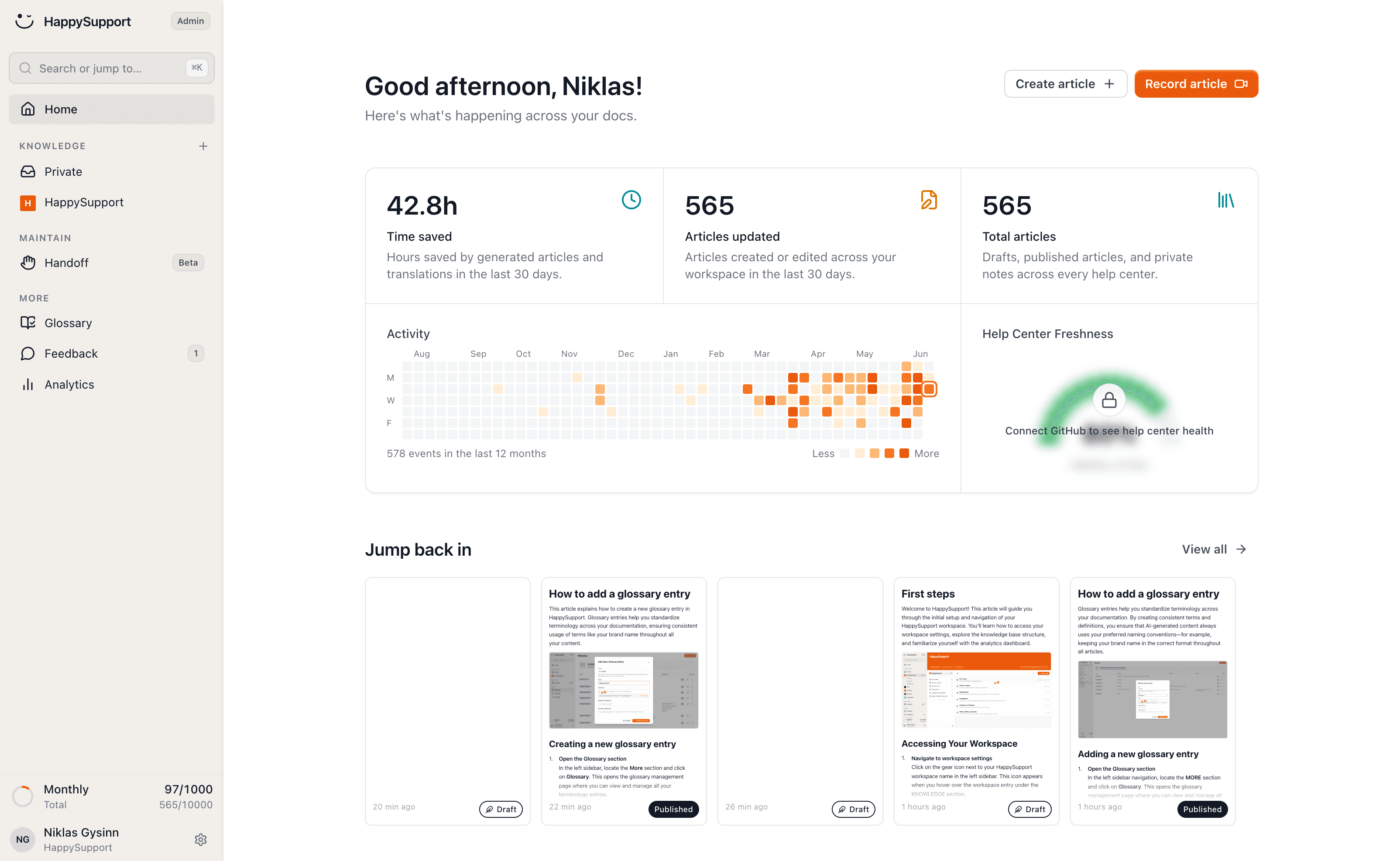
HappySupport is a customer support suite built around keeping the help center current. The HappyRecorder (Chrome extension or Windows app) records a click-through as a step-by-step article with screenshots plus the DOM and CSS selectors of each step. Git Handoff (Professional and up) reads commits and pull requests from GitHub, GitLab or Bitbucket, finds the articles a change affects and proposes updates, which your team reviews and accepts. The help center, an AI chatbot that answers only from your own articles with citations, a ticket inbox with email replies, the in-app widget and guided in-app tours all come from the same content.
Pricing, per the HappySupport pricing page: Starter 129 EUR, Professional 399 EUR and Scale 899 EUR per month, billed yearly (155, 479 or 1,079 EUR billed monthly), excl. VAT, flat, with no per-agent fees. Customer AI answers start on Professional (250 per month, 1,000 on Scale), and when the allowance runs out, search keeps working and nothing is charged automatically.
Skip if: you need a phone or voice channel, omnichannel routing, SOC 2 certification or self-hosting. HappySupport offers none of them, and team members are capped at 1, 5 and 10 by plan.
Intercom (with Fin AI Agent)
Best for: product-led SaaS teams already on Intercom that want the most mature AI agent.
Intercom's Fin AI agent answers from your support content; per the Fin FAQ, it is designed to "only provide answers based on your support content or data", and updates to Intercom public articles reach Fin immediately. Pricing, per the Intercom pricing page: Essential $29, Advanced $85 and Expert $132 per seat per month billed annually, plus $0.99 per Fin outcome.
Skip if: you need a predictable bill. Seats plus per-outcome AI pricing grow with both headcount and AI usage, and the articles Fin reads still need someone to keep them current.
Zendesk
Best for: enterprise support teams that need omnichannel routing, governance and compliance documentation.
Zendesk combines a help center, AI agents and a ticketing suite. Pricing, per the Zendesk pricing page: Suite Team $55 and Suite Professional $115 per agent per month paid yearly, Enterprise through sales. Plans include 5 to 10 automated resolutions per agent per month; more cost $1.50 each committed or $2.00 pay as you go.
Skip if: you are a small team. Per-agent pricing plus per-resolution AI and the setup overhead are built for larger support organizations.
Help Scout
Best for: small support teams that want a simple shared inbox with a knowledge base and AI answers.
Help Scout pairs a shared inbox with Docs and the Beacon widget. Pricing, per the Help Scout pricing page: a Free plan for up to 5 users, then Standard $25, Plus $45 and Pro $75 per user per month. AI Answers costs $0.75 per resolution, and per Help Scout's AI Answers guide it answers from your knowledge sources with links to them.
Skip if: your product changes weekly. Website sources must be resynced manually, and nothing in Help Scout flags articles that no longer match the product.
Freshdesk (with Freddy AI)
Best for: mid-market teams that want low per-agent prices and already use Freshworks.
Pricing, per the Freshdesk pricing page: Growth $19, Pro $55 and Enterprise $89 per agent per month billed annually. The first 500 Freddy AI Agent sessions are included and more cost $49 per 100 sessions; Freddy AI Copilot is $29 per agent per month on Pro and Enterprise. Per Freshdesk's knowledge sources guide, when website content changes you use "Resync and relearn".
Skip if: you want AI usage you can budget without counting sessions.
Document360
Best for: documentation-first teams that need a structured knowledge base more than a ticket inbox.
Document360 is a knowledge base platform with Eddy AI for writing, AI search and answers. Pricing, per the Document360 pricing page: on request, configured by team accounts, workspaces, languages and AI usage.
Skip if: you want one tool for help center and support conversations. Document360 has no ticket inbox or live chat, so most teams run a help desk next to it.
The freshness problem most articles ignore
Every comparison guide on AI help center software covers the same dimensions: features, integrations, pricing, ease of use. Almost none cover the dimension that determines whether your AI help center will still work in six months: who keeps the articles current after launch.
This is the hidden cost most buyers find out about a quarter after the contract starts. The chatbot was great for the first month. By month three, customers started asking questions whose answers were in the articles, but the articles described the old UI. By month six, the chatbot was confidently citing screenshots that no longer matched the product. Trust dropped. Tickets came back.
The decay is structural. Help center articles age fast for one reason: the product underneath them ships. The GitLab DevSecOps Report found that 65% of teams ship weekly or more frequently. Each release ships UI changes that quietly break some subset of the help center. If nobody is auditing 200 articles after every release, decay compounds. The math is in our piece on the hidden cost of documentation decay.
What "AI-native" should mean
AI-native should mean: the AI is responsible for keeping the content current, not just retrieving it. That requires two things existing chatbot layers lack:
- A link between the article and the interface. DOM and CSS selectors recorded with each step at article creation time tie the article to the elements it describes, so a change to those elements can be traced back to the article. Screenshots alone cannot do this. They are images.
- A signal that the code changed. Git Handoff wires the help center to the repository on GitHub, GitLab or Bitbucket. When a commit or pull request changes something an article depends on, that article gets an update proposal for review.
Without these two signals, "AI-native" is marketing. With them, keeping the help center accurate becomes a review step instead of a documentation project.
How to choose AI help center software
Three questions matter more than any feature checklist.
Who maintains the content?
If you have a documentation team, traditional AI help center software (Zendesk, Help Scout, Document360) works. If you do not, the maintenance overhead is going to fall on someone (probably the support lead) and they will lose. Tools that detect staleness automatically are the only realistic option for lean teams.
How often does your product change?
If your product ships monthly or slower, screenshot-based help centers can keep up with manual effort. If you ship weekly or daily, only DOM/CSS-based systems and code-linked architectures can keep up. The cadence question is the technical-fit question.
What is your real ticket deflection target?
A 30% deflection rate sounds great until you ask what the other 70% looks like. If the AI is deflecting easy tickets and escalating angry confused ones because the articles are wrong, you have made support quality worse, not better. Real deflection requires real article quality.
AI help center software pricing
Pricing falls into three patterns (prices checked on the vendors' pricing pages in October 2026). Per-seat (Zendesk, Help Scout, Freshdesk) charges for every agent, regardless of AI usage. Per-resolution or per-outcome (Intercom Fin, Zendesk AI agents, Help Scout AI Answers) charges when the AI resolves a query without escalation. Hybrid (most enterprise platforms) charges a base license plus AI add-ons.
| Tool | Starting price | AI pricing model | Best for |
|---|---|---|---|
| HappySupport | 129 EUR/month (Starter) billed yearly (155 EUR monthly), excl. VAT | Flat plan; 250 or 1,000 AI answers included from Professional | Teams that ship often |
| Intercom | $29/seat/month (annual) | $0.99 per Fin outcome | PLG SaaS |
| Zendesk | Suite Team $55/agent/month (annual) | Per automated resolution beyond the plan allowance, $1.50 to $2.00 | Enterprise |
| Help Scout | $25/user/month | AI Answers $0.75 per resolution | SMB |
| Freshdesk | Growth $19/agent/month (annual) | 500 AI sessions included, then $49 per 100; Copilot $29/agent | Mid-market |
| Document360 | Pricing on request | Tier-based | Doc-first teams |
The hidden cost is not in the table. It is the labor cost of keeping articles current. Our own worked example, not a measured benchmark: if a 200-article help center with weekly product releases takes 8 to 12 hours a week of writer time to keep current, at an assumed fully loaded rate of $60 per hour that is $25,000 to $37,000 a year. Put your own hours and rate into the same sum before comparing subscriptions.
Implementation tips
Three things to set up on day one.
Audit your existing articles before connecting the AI. An AI agent grounded on stale content will fail visibly on day three. Run a content audit (we have a checklist for this), kill the worst 20%, fix the next 30%.
Track failed queries from week one. Every dead-end search is a content gap. Add new articles or rewrite existing ones to close those gaps. The first 90 days of analytics are the most valuable input you will get.
Decide who owns freshness. If nobody owns it, decay sets in fast. The piece on who owns documentation covers the trade-offs between PM, support, and dedicated technical writer ownership.
Original data also travels: AI answer engines tend to cite pages that publish numbers nobody else has, so good help center analytics doubles as distribution. Help centers that surface their own data publicly tend to get more traffic from AI search engines, not less.
The HappySupport approach
Most tools on this list assume a human notices when an article goes stale. HappySupport ties the article to the product instead. The HappyRecorder captures each step's DOM and CSS selectors at the moment an article is recorded. When a developer ships a change, Git Handoff reads the commits and pull requests in the connected GitHub, GitLab or Bitbucket repository, links the change to the articles it affects and proposes updates, which your team reviews before customers hit a stale page. The AI chatbot, the widget and the guided tours all read those same articles, so one reviewed update reaches every channel. For SaaS teams shipping weekly without a dedicated writer, that changes the economics. See how self-updating help centers work for the full architecture and the cost model behind documentation decay.
 Book a demo